Architecture Decisions
Listen to this lesson
Architecture Decisions
Course: Advanced App Building with AI | Pathway: Builder | Tier: Pro | Level: Advanced Estimated Reading Time: 15 minutes
The Decisions That Shape Everything
When you built your first AI-powered app, the architecture mostly chose itself. A single Next.js project, one database, a couple of API routes. That works for a prototype. It does not work when you need to ship something that other people depend on.
This lesson covers the decisions you need to make before writing a single line of code — the ones that determine whether your project is pleasant to maintain at six months or a nightmare at three.
These are the choices that experienced developers agonise over. And they are the choices where AI assistants are most likely to mislead you.
Monorepo vs Single App
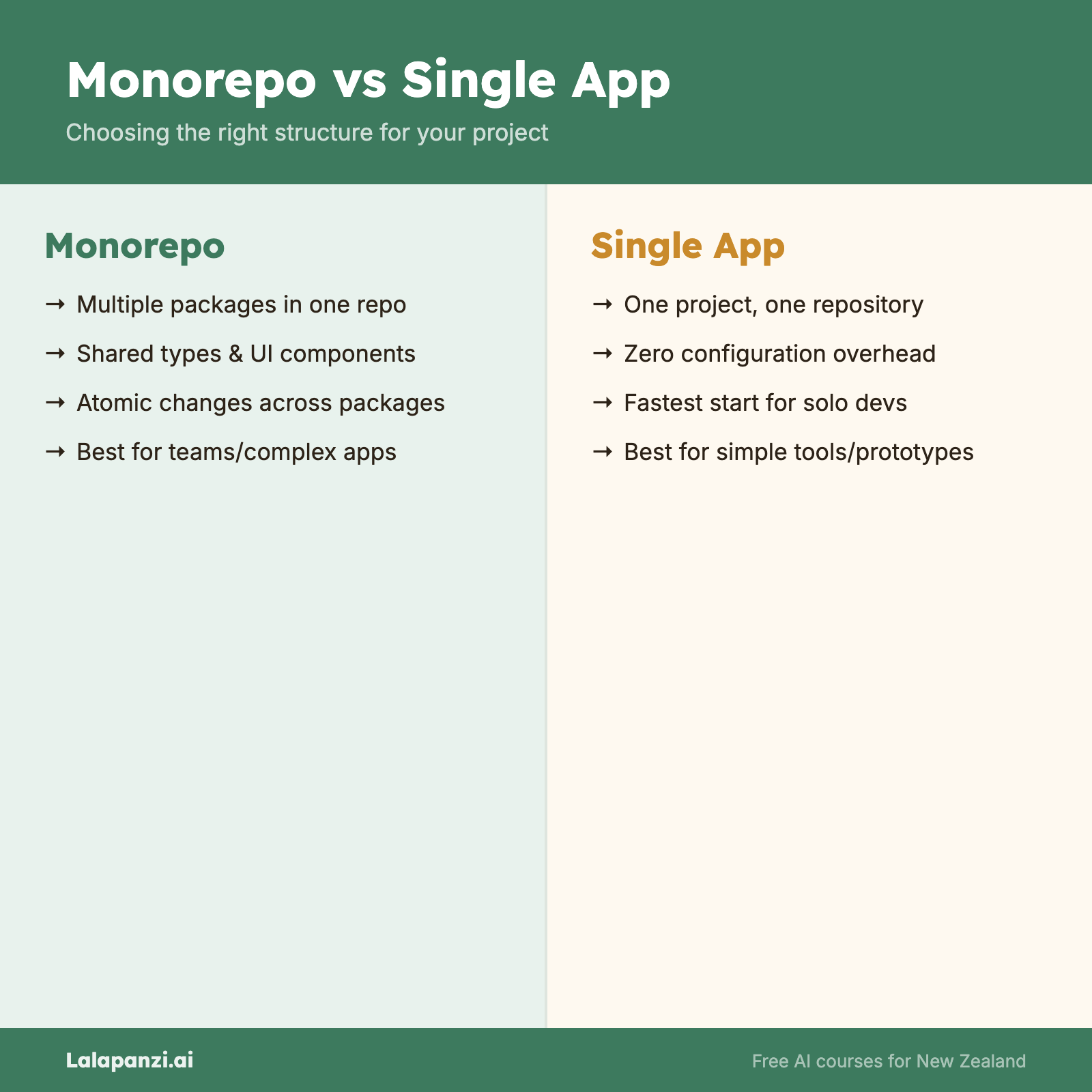
A monorepo puts multiple packages or applications in one Git repository. A single app is exactly what it sounds like — one project, one repo.
When a monorepo makes sense
- You have a web app and a shared component library.
- You have multiple services that share types, utilities, or database schemas.
- You want to make a change across packages and test it in one pull request.
A practical example: the Lalapanzi.ai platform uses a Turborepo monorepo. The Next.js web app, the UI component library, the database package, and the AI utilities all live in one repository. When someone changes the database schema, they can update the app that uses it in the same commit. No version mismatches. No "which package version is deployed?"
apps/
  web/          # Next.js app
packages/
  ui/           # Shared components
  database/     # Drizzle ORM schema
  ai/           # AI utilities
  config/       # Shared configuration
When a single app is the right call
- Your project is genuinely one thing — a web app with no shared packages.
- You are a solo developer and the overhead of monorepo tooling would slow you down more than it helps.
- Your deployment target is simple (a single Vercel project, a single Docker container).
What AI gets wrong here
Ask Claude or ChatGPT to set up a project and they will often default to whatever is most common in their training data. That means you might get a monorepo when you need a single app, or vice versa. AI assistants are not good at weighing trade-offs that depend on your team size, deployment constraints, and future plans.
The rule: Decide your architecture based on your actual situation. Then tell the AI what you decided. Do not ask the AI to decide for you.
Choosing a Framework
For full-stack web applications in 2026, the realistic options are:
| Framework | Best for | Watch out for |
|---|---|---|
| Next.js (App Router) | Full-stack apps with SSR, API routes, and React | Complexity of server components, caching behaviour |
| Remix / React Router v7 | Apps with heavy form handling and progressive enhancement | Smaller ecosystem than Next.js |
| SvelteKit | Performance-critical apps, smaller bundle sizes | Smaller talent pool, fewer third-party integrations |
| Nuxt (Vue) | Teams already using Vue | Vue ecosystem is strong but narrower |
| Astro | Content-heavy sites with islands of interactivity | Not suited for highly interactive apps |
Why Next.js dominates AI-assisted development
Next.js has the largest representation in AI training data. When you ask an AI to build a web app, it will almost certainly generate Next.js code. This creates a feedback loop — more people use Next.js with AI, more Next.js code enters training data, AI gets better at Next.js.
This is not a bad thing. Next.js is genuinely capable. But be aware that AI recommendations of Next.js are partly a reflection of training data frequency, not an objective assessment of your needs.
The App Router vs Pages Router question
If you are starting a new Next.js project in 2026, use the App Router. The Pages Router still works and is still supported, but new features and improvements go to the App Router. AI assistants sometimes generate Pages Router code because there is more of it in older training data. If you see getServerSideProps or pages/api/, that is Pages Router. Redirect the AI.
React Server Components: The Mental Model
The App Router introduces React Server Components (RSC). This is where most developers get confused and where AI-generated code is most likely to be subtly wrong.
Server Components (the default) run on the server. They can:
- Directly query databases
- Access environment variables
- Import server-only libraries
- Cannot use
useState,useEffect, or browser APIs
Client Components (marked with 'use client') run in the browser. They can:
- Use hooks, event handlers, and browser APIs
- Cannot directly access server resources
// Server Component (default) -- runs on the server
import { db } from '@/lib/database';

export default async function CoursePage() {
  const courses = await db.query.courses.findMany();
  return (
    <div>
      {courses.map(course => (
        <CourseCard key={course.id} course={course} />
      ))}
    </div>
  );
}
// Client Component -- runs in the browser
'use client';

import { useState } from 'react';

export function SearchFilter({ onSearch }: { onSearch: (q: string) => void }) {
  const [query, setQuery] = useState('');
  return (
    <input
      value={query}
      onChange={(e) => {
        setQuery(e.target.value);
        onSearch(e.target.value);
      }}
    />
  );
}
The common AI mistake: Generating a Server Component that uses useState or useEffect. It will compile, but it will crash at runtime or silently fail. Always check that interactive code is in a 'use client' file.
When AI Helps vs When It Misleads
AI coding assistants are transformative for architecture at the implementation level — generating boilerplate, scaffolding routes, writing configuration files. But they are unreliable at the decision level.
Where AI is genuinely helpful
- Scaffolding. "Create a Next.js API route that handles POST requests with Zod validation." The AI will produce working, idiomatic code.
- Configuration. Turborepo configs, TypeScript settings, ESLint rules. These are well-defined and the AI knows them.
- Pattern application. "Use the repository pattern for this data access layer." If you name the pattern, the AI can implement it.
- Boilerplate elimination. Setting up authentication providers, database connections, middleware chains.
Where AI consistently misleads
- Trade-off decisions. "Should I use a monorepo?" The AI will give you a confident answer that may be completely wrong for your situation.
- Performance architecture. AI does not know your traffic patterns, your user geography (most of your users might be in New Zealand, not the US), or your budget constraints.
- Security architecture. AI-generated auth code often looks correct but has subtle vulnerabilities. Never ship AI-generated authentication without understanding every line.
- Cost estimation. AI will cheerfully suggest architectures that cost $500/month when your budget is $20.
The decision framework
For every architectural choice, ask yourself:
- Is this a pattern question or a trade-off question? Patterns (how to implement something) are safe to delegate to AI. Trade-offs (what to implement) are not.
- Can I verify the answer? If the AI suggests a caching strategy, can you test it? If the AI suggests a database, do you understand the pricing model?
- What are the constraints the AI does not know? Your budget, your team's skills, your deployment environment, your users' locations.
Project Structure for Production
Here is a production-ready Next.js App Router structure. This is opinionated — adjust it to your needs — but it covers the common cases:
src/
├── app/
│   ├── (public)/         # Routes that don't require auth
│   │   ├── page.tsx      # Homepage
│   │   └── about/
│   ├── (protected)/      # Routes that require sign-in
│   │   └── dashboard/
│   ├── api/              # API routes
│   │   └── webhooks/
│   └── layout.tsx        # Root layout
├── components/
│   ├── ui/               # Generic UI components (buttons, cards)
│   ├── layout/           # Nav, footer, sidebar
│   └── features/         # Feature-specific components
├── lib/
│   ├── db.ts             # Database client
│   ├── auth.ts           # Auth utilities
│   └── ai.ts             # AI client setup
├── types/                # TypeScript type definitions
└── middleware.ts          # Auth middleware, redirects
The route groups (public) and (protected) are a Next.js convention. The parentheses mean the folder name does not appear in the URL — it is purely for organisation and applying different layouts or middleware.
Key Takeaways
- Architecture decisions should be yours, not the AI's. Use AI for implementation, not for strategy. Tell it what you have decided, do not ask it what to decide.
- Monorepos add value when you share code between packages. If you are building one thing, a single app is simpler and faster.
- Next.js App Router is the default for new projects in 2026, but know why you are using it, not just that the AI suggested it.
- Server Components and Client Components have different capabilities. Getting this wrong is one of the most common AI-generated bugs.
- AI excels at patterns but struggles with trade-offs. The more your question depends on context the AI does not have, the less you should trust its answer.
Exercise
Take an app idea you want to build (or one you have already started). Write a one-page architecture document that answers:
- Monorepo or single app? Why?
- Which framework and why?
- What are the route groups and what auth level does each need?
- Where will it be deployed and what does that cost?
Do not use AI for this exercise. The point is to practise making these decisions yourself.
Quiz
1. When should you use a monorepo?
a) Always, because it is more professional b) When you have multiple packages that share code and you want atomic changes across them c) When AI recommends it for your project
Answer: b) Monorepos add value when packages share code (types, utilities, components) and you want to change them together. They add overhead otherwise.
2. What is the most common AI mistake with React Server Components?
a) Generating too many components b) Using hooks like useState or useEffect in a Server Component c) Making components too small
Answer: b) Server Components cannot use React hooks or browser APIs. AI assistants frequently generate Server Components with client-side code, which will fail at runtime.
3. For architectural trade-off decisions (e.g., which database to use), you should:
a) Ask the AI to recommend the best option b) Make the decision yourself based on your constraints, then use AI to implement it c) Always pick the most popular option
Answer: b) AI does not know your budget, team skills, deployment environment, or user base. Trade-off decisions require context that only you have. Use AI for implementation once you have decided.
Visual overview