Lesson 3: What Makes Models Different — Speed, Intelligence, Cost, Context Window, Multimodal Capabilities
Listen to this lesson
Lesson 3: What Makes Models Different — Speed, Intelligence, Cost, Context Window, Multimodal Capabilities
Course: Choosing the Right AI Model (Personal Pathway, Free) Estimated reading time: 9 minutes Last updated: 2026-02-19
Not All Models Are Built the Same
By now you know that AI platforms offer different models. But what actually makes one model different from another? Why is one "better" for writing and another "faster" for quick questions?
It comes down to five key dimensions. Understanding these will give you a practical framework for choosing the right model — not just now, but as new models appear (and they appear constantly).
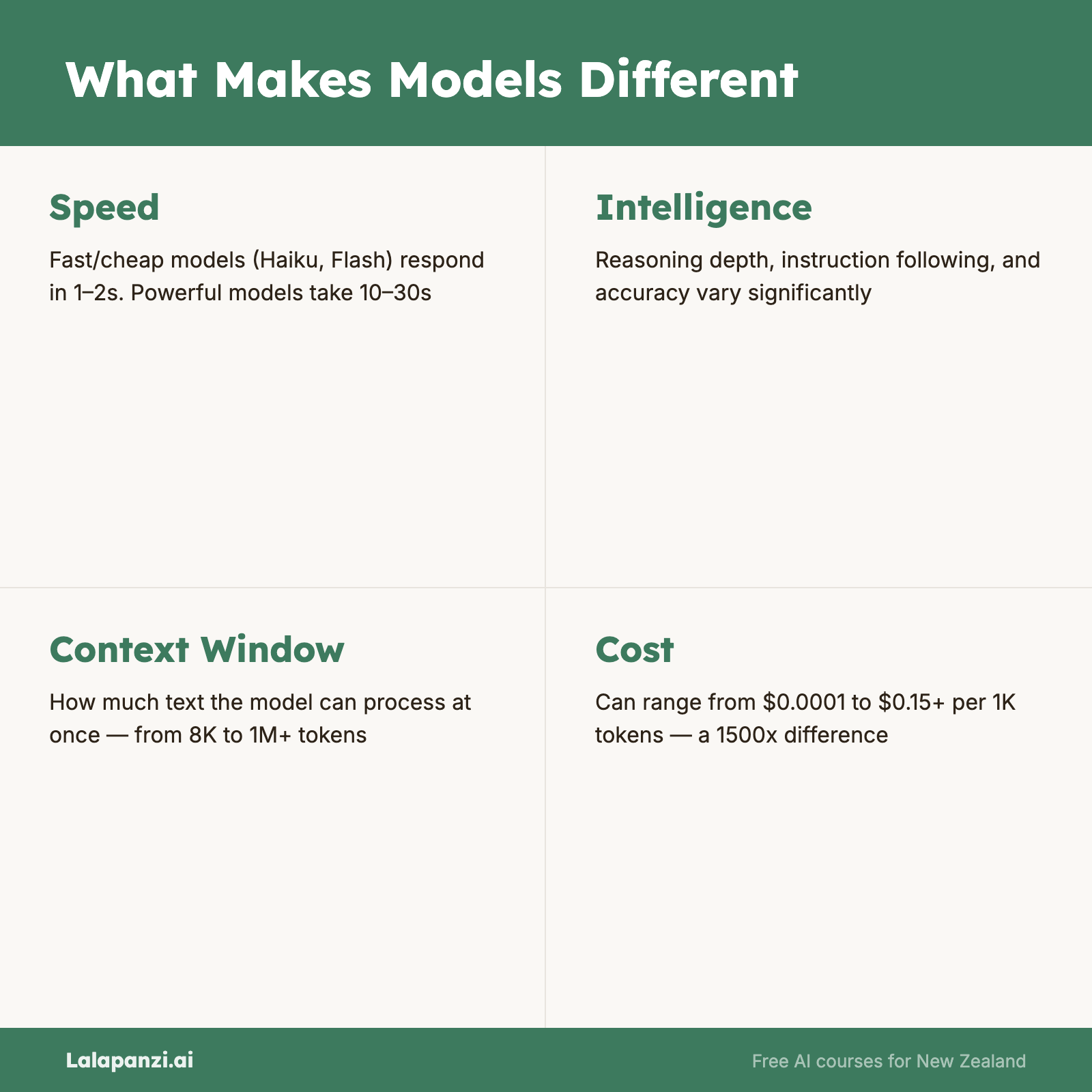
1. Speed — How Fast Does It Respond?
Some models reply almost instantly. Others take several seconds, or even longer, to generate a response. This isn't random — it's a design choice.
Faster models (like GPT-4o mini, Claude Haiku 4.5, Gemini 3.1 Flash, Gemini 3.1 Flash-Lite/Live, or Gemini Flash) are optimised to respond quickly. They're smaller models that process your request with fewer computational steps. The Gemini 3.1 Flash series in particular has set new benchmarks for speed-to-intelligence ratios, making them exceptionally viable for real-time applications. Gemini 3.1 Flash-Lite and Live are particularly effective for low-latency, high-frequency interactions where near-instantaneous response is critical. They're ideal for:
- Quick questions with straightforward answers
- Chat-style conversations where lag would be annoying
- Tasks where "good enough" is good enough
- High-volume usage where speed matters
Slower models (like o1/o3, Claude Opus 4.6, GPT-5.4, Llama 4) take more time because they're doing more processing. The o1 and o3 models from OpenAI literally "think" before answering — they work through the problem step by step internally before giving you a response. GPT-5.4 introduces expanded reasoning capabilities and a massive native context window of 1.05 million tokens, allowing it to handle immense enterprise workflows with a 33% reduction in factual errors compared to GPT-5.2. Llama 4 now performs on par with top proprietary models in reasoning and coding, with specific benchmarks showing it matching or exceeding Claude 3.5 Sonnet in complex Python tasks, while introducing architectural efficiencies that reduce latency by 15% compared to Llama 3.1 405B. They're better for:
- Complex reasoning and analysis
- Maths and logic problems
- Tasks where accuracy matters more than speed
- Problems that require planning multiple steps
The practical rule: If you're asking something simple, a fast model is fine. If you need deep thinking, it's worth waiting for a more capable model.
2. Intelligence — How Capable Is It?
"Intelligence" is an imperfect word for AI, but it captures something real: some models handle complex tasks much better than others.
This shows up in practical ways:
- Following complex instructions: A more capable model can juggle multiple requirements in a single prompt. "Write a 500-word blog post in a professional tone about remote work trends in New Zealand, include three statistics, and end with a call to action" — a stronger model will nail all of those constraints. A weaker one might miss some.
- Reasoning: Tasks that require logical thinking, weighing evidence, or working through multi-step problems.
- Nuance: Understanding context, detecting sarcasm, grasping subtle distinctions.
- Creativity: Generating original ideas, making unexpected connections, producing varied output.
How do we measure this? AI companies benchmark their models on standardised tests — everything from university-level exams to coding challenges. These benchmarks aren't perfect, but they give a rough sense of capability tiers.
In general, the ranking within each company's lineup is clear:
- OpenAI: GPT-4o mini < GPT-4o < o1 < o3
- Anthropic: Haiku < Sonnet < Opus
- Google: Flash < Pro < Ultra
The cheaper, faster model is always less capable. The expensive, slower model is always more capable. You're trading off speed and cost for intelligence. Always.
3. Cost — What Does It Actually Cost You?
For most people using AI through platforms like ChatGPT or Claude, cost shows up in two ways:
Subscription tiers:
- Free tiers give you access to less powerful models with usage limits
- Paid subscriptions (typically US$20/month) unlock more powerful models and higher usage limits
Behind the scenes — token pricing: Even if you're on a flat subscription, the AI companies pay per use. They charge (or absorb the cost of) tokens — the units of text the model processes. A token is roughly ¾ of a word in English.
Why should you care about tokens? Because:
- Usage limits on free and paid tiers are often measured in tokens
- If you send the AI a 20-page document to analyse, that uses far more tokens than a quick question
- Some platforms throttle you to a cheaper model when you hit your limit
The cost hierarchy is consistent: Within any company's lineup, faster/smaller models cost dramatically less than larger/more capable ones. For example, GPT-4o mini processes tokens at roughly 10-20x cheaper than GPT-4o. This matters less for casual personal use, but it's critical if you're using AI heavily.
Qwen 3.5 — The Economics Winner of 2026
If we're talking about model economics in 2026, Qwen 3.5 deserves a special mention as the "extraordinary economics" model of the year. It delivers near-top-tier performance at significantly lower cost than comparable models from OpenAI or Anthropic, making enterprise-grade capabilities accessible to organisations with tighter budgets.
Why Qwen 3.5 matters:
- Price-to-performance ratio — competitive intelligence at a fraction of the cost of Western equivalents
- Self-hosting option — available for deployment on your own infrastructure, giving complete control over data and costs
- Open weights — transparency about the model architecture, enabling customisation and fine-tuning
The headline of 2026 so far is that no single model has won. Diversity remains key, and Qwen exemplifies this by offering an attractive alternative for teams balancing capability with cost constraints.
Practical considerations:
- For client work involving real data, unless you're self-hosting, be mindful of where the model runs and who can access your information
- Self-hosting Qwen models on your own infrastructure gives you complete control over data and usage costs
- The economics advantage is real but context-dependent — if you need specific integrations or capabilities only available elsewhere, the cheaper price may not matter
Bottom line: Qwen 3.5 has shifted the cost curve for AI in 2026. It's worth evaluating seriously if cost is a constraint, though integration requirements and data control considerations remain important decision factors.
4. Context Window — How Much Can It Remember?
The context window is one of the most practically important concepts in AI, and one of the least understood.
What it is: The context window is the total amount of text the model can "see" at once. This includes your entire conversation so far, plus any documents you've uploaded, plus the model's response.
Why it matters: If you're having a long conversation, the model eventually "forgets" the beginning. If you upload a document that's too large, it can't read the whole thing. The context window is the hard limit on how much information the model can work with at any one time.
Context windows vary enormously:
- Some models have a 8,000-token context window (roughly 6,000 words — about 12 pages)
- Others have 128,000 tokens (roughly 96,000 words — a full novel)
- Gemini and Claude models have pushed to 200,000 tokens and beyond
- Google has demonstrated context windows of 1 million+ tokens, though real-world performance at those lengths varies
Practical implications:
- Analysing a short email? Any context window is fine.
- Working through a 100-page report? You need a large context window.
- Having a long back-and-forth conversation? The model will handle earlier parts less accurately as you fill the window.
A common trap: Just because a model can accept a large context window doesn't mean it handles all that text equally well. Models tend to pay most attention to the beginning and end of their context, sometimes losing track of details in the middle. This is called the "lost in the middle" problem.
5. Multimodal Capabilities — Can It See, Hear, and Create?
Early AI models only worked with text. You typed words, you got words back. Modern models are increasingly multimodal — they can process and generate multiple types of content.
Input modalities (what you can send to the model):
- Text — all models handle this
- Images — most major models can now analyse photos, screenshots, diagrams, handwriting
- Documents — PDFs, spreadsheets, presentations
- Audio — some models can listen to voice input directly
- Video — emerging capability, with Gemini leading here
Output modalities (what the model can create):
- Text — all models
- Images — some platforms (ChatGPT with DALL-E, Gemini with Imagen)
- Audio/voice — ChatGPT's voice mode, others emerging
- Code — all major models, with varying quality
Why this matters practically:
- Want to upload a photo of a receipt and have it extract the amounts? You need image input.
- Want to describe a logo and have AI create it? You need image output.
- Want to have a spoken conversation with AI while driving? You need audio input and output.
Not every model supports every modality. Check what your specific model can do before assuming it'll handle images or audio.
Putting It All Together
These five dimensions create a landscape of trade-offs. No single model wins everywhere. Here's a simplified view:
| What You Want | Model Choice |
|---|---|
| Quick answers, casual chat | Fast, small model (GPT-4o mini, Haiku, Flash) |
| Deep analysis, complex reasoning | Large, capable model (o3, Opus, Pro) |
| Analysing long documents | Large context window model (Claude Sonnet, Gemini Pro) |
| Working with images | Multimodal model (GPT-4o, Gemini) |
| Keeping costs low | Small model, free tier |
The key insight: there is no "best" model. There's the best model for what you need right now. And that changes depending on the task.
Key Takeaways
- Five dimensions define any AI model: speed, intelligence, cost, context window, and multimodal capabilities.
- There's always a trade-off between speed/cost and capability. Faster and cheaper means less capable.
- Context window determines how much text the model can work with at once. This matters enormously for long documents and conversations.
- Multimodal capabilities vary. Don't assume a model can handle images or audio — check first.
- No single model is best at everything. The right choice depends on your specific task.
Practical Exercise
Time needed: 15 minutes
- Open your preferred AI platform and find out which model you're using (check the model selector).
- Look up that model's specifications — try searching for "[model name] context window" and "[model name] capabilities."
- Test the context window practically: paste a long piece of text (a full article or document) and ask the AI to summarise it. Then ask a specific question about a detail in the middle of the text. Did it get it right?
- If your model supports image input, upload a photo (a receipt, a screenshot, a handwritten note) and ask the AI to describe or extract information from it.
- Note which capabilities matter most for the tasks you typically do. This will guide your model choices going forward.
Knowledge Check
1. What is a "context window" in an AI model?
- a) The time limit for how long you can chat
- b) The total amount of text the model can process at once, including your conversation and documents ✅
- c) The number of conversations you can have per day
- d) The window on your screen where the chat appears
2. If you need a quick answer to a simple question, which type of model is the best choice?
- a) The largest, most expensive model available
- b) A fast, smaller model like GPT-4o mini or Claude Haiku ✅
- c) It doesn't matter — all models give the same answer to simple questions
- d) A multimodal model, always
3. What does "multimodal" mean when describing an AI model?
- a) It can run on multiple devices
- b) It can process or generate multiple types of content — text, images, audio, etc. ✅
- c) It uses multiple languages
- d) It has multiple subscription tiers
Visual overview