Module 5, Lesson 1: What a Prompt Is and Why It Matters
Listen to this lesson
Module 5, Lesson 1: What a Prompt Is and Why It Matters
Estimated reading time: 7 minutes
Introduction
Every time you type something into ChatGPT, Claude, Gemini, or any other AI tool, you're writing a prompt. It's the instruction you give the AI. And here's the thing most people don't realise: the quality of what you get back is almost entirely determined by the quality of what you put in.
This isn't a minor detail. It's the single most important skill in working with AI — and it remains true even as models have become smarter through 2026. Better models make good prompts even more powerful, but they can't fix a vague one.
Think of it this way. If you walked into a café and said "coffee," you'd get something — but it might not be what you wanted. A flat white? A long black? Oat milk? Extra hot? The barista would guess, and they might guess wrong. But if you said "flat white, oat milk, extra hot, regular size," you'd get exactly what you're after.
AI works the same way. Vague input gets vague output. Specific input gets useful output.
What a Prompt Actually Is
A prompt is any text you type into an AI tool to get a response. It can be a question, an instruction, a paragraph of context, or all of those combined. There's no special format required — you're just communicating with the model in plain language.
But "plain language" doesn't mean "anything goes." The way you phrase your prompt shapes everything: the tone of the response, the depth, the format, even the accuracy.
Let's look at a real example.
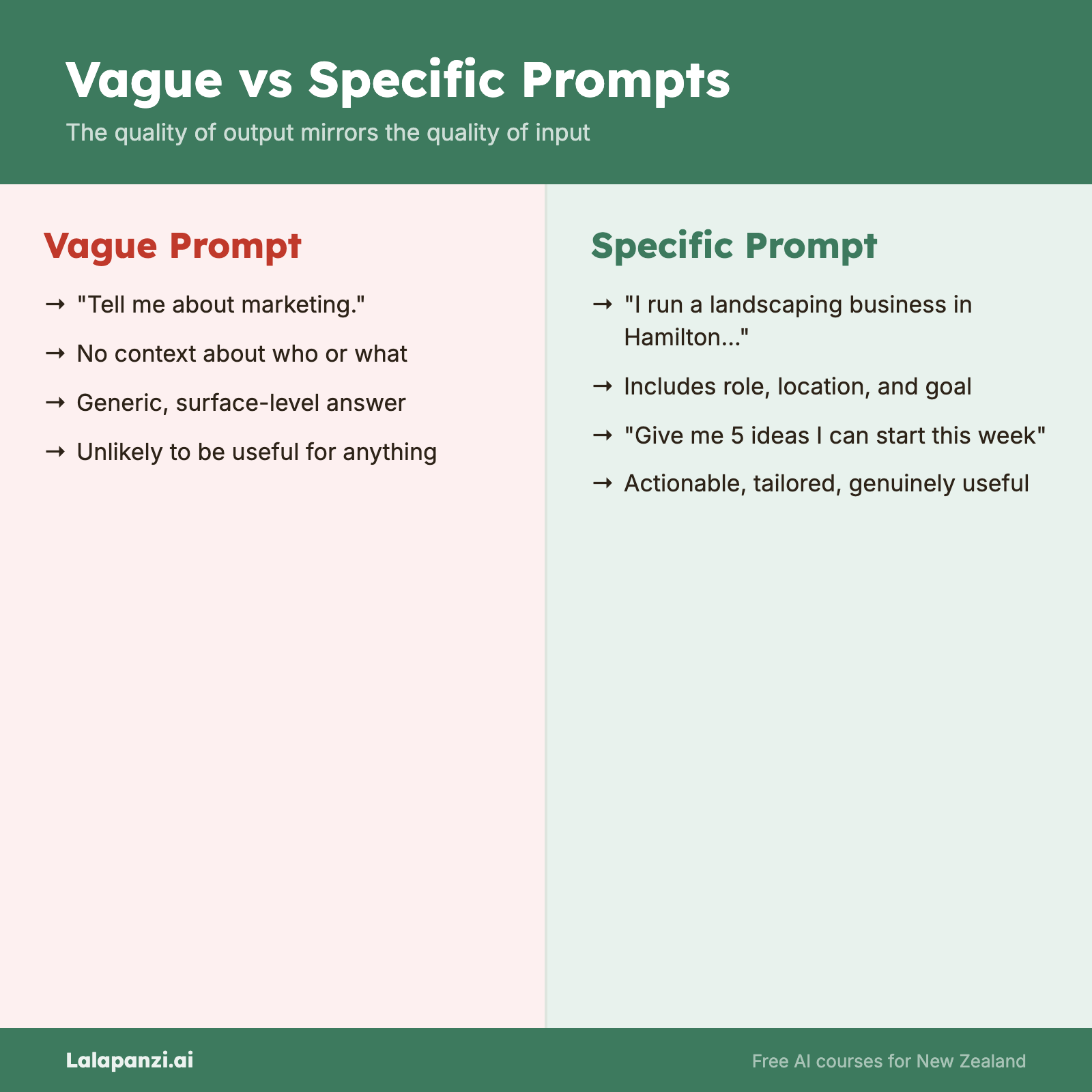
❌ Bad Prompt
Tell me about marketing.
What does this even mean? Marketing for what? What kind? What level of detail? The AI will give you a generic, surface-level overview that's unlikely to be useful for anything specific.
✅ Good Prompt
I run a small landscaping business in Hamilton with 3 staff. I want to attract more residential customers. Give me 5 practical marketing ideas I could start this week, with an estimated cost for each.
Same topic — marketing. Completely different result. The AI now knows who you are, what you need, and how you want the answer structured. It can give you something genuinely useful.
Why This Matters More Than You Think
Here's what we see constantly: people try an AI tool once, get a mediocre response, and conclude that "AI isn't that good." But the issue wasn't the AI — it was the prompt.
Consider two people using the same AI model for the same task:
Person A types:
Write me an email.
Person B types:
Write a polite but direct email to a supplier who has delivered the wrong order for the second time. I want them to correct the order urgently but I don't want to damage the relationship. Keep it under 150 words. Professional tone.
Person A gets a generic template. Person B gets a ready-to-send email. Same tool, same model, vastly different outcomes.
The difference is prompt engineering — the skill of communicating clearly with AI to get the results you actually need.
You're Already Doing It (Just Not Well Yet)
If you've ever used an AI tool, you've already written prompts. This module isn't about learning something alien — it's about getting dramatically better at something you're already doing.
And the good news is: it's not hard. There's no coding involved. No technical knowledge required. It's fundamentally about clear communication. If you can explain what you want to a colleague, you can write a good prompt.
The skills you'll pick up in this module will immediately improve every interaction you have with AI tools. Not next month. Today.
The Prompt Is Your Steering Wheel
One way to think about it: the AI model is the engine, but the prompt is the steering wheel. The engine has enormous power, but without good steering, you're just going in circles.
Let's see one more example.
❌ Bad Prompt
Summarise this document.
(With no document attached, and no context about what kind of summary is needed.)
✅ Good Prompt
I'm pasting a 2,000-word report below about staff satisfaction survey results. Summarise it in 3-4 bullet points, focusing on the biggest concerns raised by staff and any recommendations made. This summary is for our CEO who has 2 minutes to read it.
[report text pasted here]
The second prompt tells the AI:
- What the content is
- What format you want (bullet points)
- What to focus on (concerns and recommendations)
- Who it's for (which shapes the tone and depth)
That's prompt engineering. It's not magic. It's just being clear about what you need.
What You'll Learn in This Module
Over the next four lessons, we'll cover:
- The anatomy of a good prompt — the four building blocks that make any prompt better (Lesson 2)
- Advanced techniques — role-setting, examples, and chain-of-thought reasoning (Lesson 3)
- Iterating and refining — what to do when the first result isn't quite right (Lesson 4)
- System prompts, custom instructions, and common mistakes — the finishing touches (Lesson 5)
By the end of this module, you'll write prompts that consistently get better results from any AI tool. That's a skill that compounds — every future interaction benefits from it.
Key Takeaways
- A prompt is simply the text you type into an AI tool — but how you write it determines what you get back.
- Vague prompts get vague results. Specific, detailed prompts get useful, actionable results.
- Prompt engineering isn't technical — it's clear communication applied to AI.
- This is the most impactful AI skill you can learn. It improves every interaction with every AI tool.
Practical Exercise
Task: Write three versions of a prompt for the same task, each one more specific than the last.
- Pick a real task you'd actually use AI for (e.g., writing an email, summarising something, brainstorming ideas).
- Write a vague version — the kind of thing you might quickly type without thinking.
- Write a better version — add some context and specificity.
- Write a great version — include context, the specific task, the format you want, and any constraints.
Run all three through an AI tool and compare the results. Notice how much the output improves as your prompt gets more specific.
Bonus: Save all three results side by side. You'll want to reference them as we go deeper into prompt structure in Lesson 2.
Knowledge Check
1. What is a prompt?
a) A special coding language for AI tools b) The text you type into an AI tool to get a response c) A template provided by the AI company d) The AI's internal instructions
Answer: b) A prompt is simply the text you provide to an AI tool. No special format or coding required.
2. Why does the same AI tool give different quality results to different people?
a) Some people have paid for a better version b) The AI randomly varies its quality c) The quality of the prompt determines the quality of the response d) The AI remembers past users and gives better results over time
Answer: c) The prompt is the primary factor in output quality. Better prompts consistently produce better results, regardless of who's writing them.
3. Which of these is the better prompt?
a) "Help me with my CV" b) "I'm a project manager with 8 years' experience applying for a senior PM role at a construction firm. Review my CV (pasted below) and suggest 3 specific improvements to make it stronger for this type of role."
Answer: b) It provides context (who you are), a clear task (review and suggest improvements), specificity (3 improvements), and relevance (for a specific role type).
Visual overview