Module 5, Lesson 5: System Prompts, Custom Instructions, and Common Mistakes
Listen to this lesson
Module 5, Lesson 5: System Prompts, Custom Instructions, and Common Mistakes
Estimated reading time: 8 minutes
Introduction
You've learned the framework, the techniques, and how to iterate. This final lesson covers two things that will round out your prompt engineering skills: system-level instructions that work behind the scenes, and the common mistakes that trip people up.
Think of this as the finishing touches. The stuff that separates someone who's "pretty good" at prompting from someone who's genuinely effective.
System Prompts: What Are They?
A system prompt is a set of instructions that runs before your conversation with the AI begins. You don't see it in the chat — it operates in the background, shaping every response the AI gives you.
When you use ChatGPT, Claude, or any other AI tool, there's usually a system prompt already in place. It's why the AI introduces itself a certain way, follows certain safety guidelines, and behaves consistently.
But here's the useful part: many tools let you set your own system-level instructions.
Custom Instructions: Your Personal Defaults
Most major AI tools now offer a way to set persistent instructions that apply to every conversation. In ChatGPT, it's called "Custom Instructions." In Claude, it's "Project Instructions" or profile settings. Other tools have similar features.
This is incredibly useful because it saves you from repeating the same context in every single prompt.
❌ Without Custom Instructions
Every time you start a new chat, you'd need to write:
I'm a small business owner in New Zealand. I run a landscaping company with 8 staff. When I ask for advice, keep it practical and specific to NZ. Use NZ English spelling. Keep responses concise — I'm time-poor.
That gets tedious fast.
✅ With Custom Instructions
You set this once in your AI tool's settings:
About me: I own a landscaping business in Christchurch, NZ. 8 staff. I'm experienced in business but new to AI.
How I want responses: Practical, actionable, specific to NZ context. NZ English spelling. Keep responses concise unless I ask for detail. Use bullet points where possible. Don't over-explain things I already know about running a business.
Now every conversation starts with this context already loaded. Your prompts can be shorter because the AI already knows who you are and how you like your answers.
How to Write Good Custom Instructions
Think about what's true for every conversation you have with the AI:
About you:
- Your role or profession
- Your location (especially useful for NZ-specific advice)
- Your level of expertise
- Any relevant context that rarely changes
How you want responses:
- Preferred tone and formality
- Format preferences (bullet points, short paragraphs, etc.)
- Language preferences (NZ English, plain language)
- What you don't want (jargon, caveats on every response, excessive disclaimers)
Keep it focused. Custom instructions that run to 500 words will use up context space in every conversation. Aim for clear and concise — 100-200 words is usually plenty.
Common Mistakes (and How to Avoid Them)
After everything you've learned in this module, let's round out with the mistakes we see people make most often. Knowing what to avoid is just as valuable as knowing what to do.
Mistake 1: Being Too Vague
This is the most common mistake, and we've covered it extensively. But it bears repeating.
❌ Bad: "Help me with my marketing." ✅ Good: "Suggest 5 low-cost marketing tactics for a new bakery in Dunedin targeting local families."
The fix: Always ask yourself — if I gave this instruction to a person who knew nothing about my situation, would they know exactly what to do? If not, add more context.
Mistake 2: Asking for Too Many Things at Once
When you cram multiple unrelated tasks into one prompt, the AI's attention gets spread thin and quality drops across the board.
❌ Bad:
Write me a business plan, create a marketing strategy, design an organisational chart, draft a press release, and come up with a company name.
✅ Good: Break it into separate prompts. One task per conversation — or at least one task per prompt if they're related.
The fix: If your prompt has more than 2-3 distinct tasks, split them up.
Mistake 3: Not Providing Examples
We covered few-shot examples in Lesson 3, but it's worth flagging here because so many people skip this step. If you have a specific style, format, or output in mind, show the AI. Don't just describe it.
❌ Bad: "Write it in our brand voice." ✅ Good: "Write it in our brand voice. Here are two examples of our style: [examples]."
The fix: Whenever you find yourself thinking "that's not quite the style I wanted," try providing examples next time.
Mistake 4: Accepting the First Response
We covered iteration in Lesson 4, but this mistake is so widespread it deserves another mention. Most people accept whatever the AI first produces. They either use it as-is or give up on the tool entirely.
The fix: Treat the first response as a draft. Review, refine, and iterate. The best results almost always come from the second or third pass.
Mistake 5: Not Specifying the Audience
The same topic explained to a CEO, a university student, and a 10-year-old should sound completely different. If you don't tell the AI who the output is for, it defaults to a generic middle ground that works for nobody particularly well.
❌ Bad: "Explain how inflation works." ✅ Good: "Explain how inflation works to a small business owner who has no economics background. Use a real-world NZ example they'd relate to. Keep it under 200 words."
The fix: Always mention who will read, hear, or use the output.
Mistake 6: Treating AI Like a Search Engine
AI tools are not Google. They're not designed to find specific facts or give you links to sources. They're designed to generate, analyse, summarise, and reason.
❌ Bad: "What's the best restaurant in Wellington?" ✅ Good: "I'm planning a client dinner in Wellington for 4 people. We need somewhere with good vegetarian options, a private dining area, and a smart-casual vibe. Suggest 3 types of restaurant that would work, and what to search for when booking."
The fix: Use AI for tasks that require thinking, writing, and reasoning. Use search engines for finding specific current facts.
Mistake 7: Forgetting to Verify
AI models can produce confident, well-written responses that contain incorrect information. This is the hallucination problem we covered in Module 2. No amount of good prompting eliminates this entirely.
❌ Bad: Copying AI-generated statistics directly into a report without checking. ✅ Good: Using the AI to draft the report structure and prose, then verifying any specific facts, statistics, or claims independently.
The fix: Always fact-check anything specific — especially numbers, dates, names, and legal or regulatory claims. The AI is a drafter, not a fact-checker.
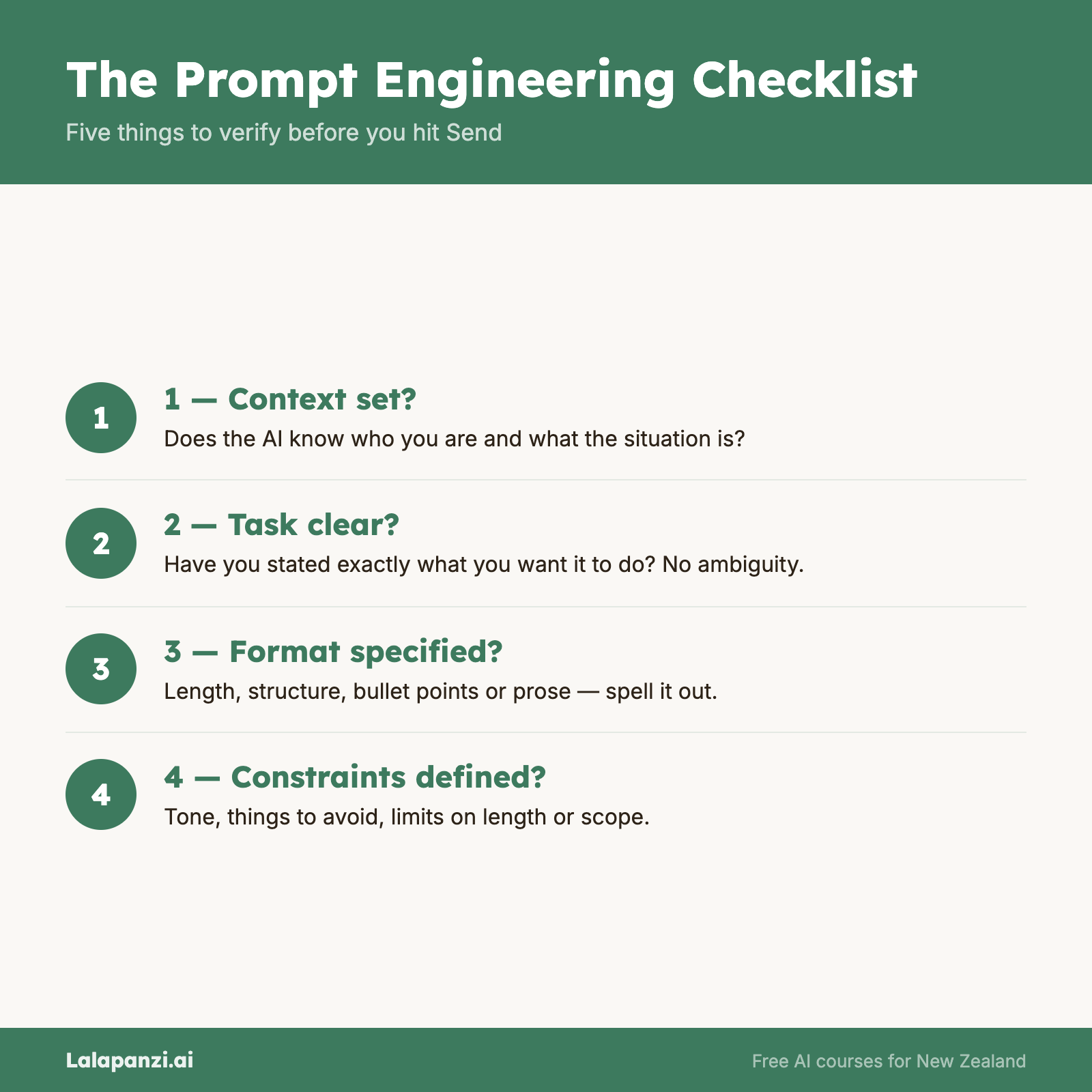
Putting It All Together: The Module 5 Checklist
Before you send any important prompt, run through this quick mental checklist:
- ✅ Context — Does the AI know who I am and what the situation is?
- ✅ Task — Have I clearly stated what I want it to do?
- ✅ Format — Have I specified how I want the answer structured?
- ✅ Constraints — Have I set limits on length, tone, or content?
- ✅ Technique — Would a role, examples, or step-by-step reasoning help?
- ✅ Audience — Does the AI know who this is for?
- ✅ Iterate — Am I ready to refine, or am I expecting perfection first time?
You won't need all seven for every prompt. But for anything that matters, this checklist will serve you well.
Key Takeaways
- Custom instructions let you set persistent context so you don't repeat yourself in every conversation.
- Keep custom instructions concise — 100-200 words covering who you are and how you like responses.
- The most common mistakes are being too vague, asking for too much at once, and accepting the first response without iterating.
- Always specify your audience — it fundamentally changes the quality and relevance of the output.
- AI is a drafter, not a fact-checker — always verify specific claims, numbers, and regulatory information.
Practical Exercise
Task: Set up your custom instructions and stress-test your prompting skills.
Part 1: Custom Instructions Open your preferred AI tool and set up custom instructions (or update your existing ones). Include:
- Who you are (role, location, expertise level)
- How you want responses (tone, format, length, language preferences)
- Anything you want the AI to always know or always avoid
Part 2: The Prompt Challenge Write prompts for 5 different tasks from the list below. For each one, use the full framework (context, task, format, constraints) and at least one technique (role-setting, few-shot, or chain-of-thought). Iterate each prompt at least twice.
- Write a job advertisement for a role you'd actually need to fill
- Get advice on a real business or personal decision you're facing
- Create a one-week social media content plan
- Summarise a long document or article into key points for a specific audience
- Draft a difficult email or message you've been putting off
Reflect: Which prompts produced the best results on the first try? Which needed the most iteration? What patterns do you notice?
Knowledge Check
1. What are custom instructions in AI tools?
a) The AI's built-in programming that you can't change b) Persistent settings that provide context and preferences for every conversation c) A premium feature that improves the AI model's intelligence d) Templates you can download from the AI company's website
Answer: b) Custom instructions let you set persistent context (who you are) and preferences (how you want responses) that apply to every new conversation.
2. You ask the AI to "explain blockchain" and get a highly technical response full of jargon. What mistake did you most likely make?
a) Using the wrong AI tool b) Not specifying the audience or their knowledge level c) Not using chain-of-thought prompting d) Forgetting to set a role
Answer: b) Without knowing who the explanation is for, the AI defaults to a generic (often technical) response. Specifying the audience — "explain to a small business owner with no tech background" — fixes this immediately.
3. Which of these is NOT good advice for working with AI?
a) Iterate on responses rather than accepting the first draft b) Trust AI-generated statistics without verification c) Provide examples when you want a specific style d) Break complex tasks into separate prompts
Answer: b) AI can generate plausible but incorrect statistics. Always verify specific facts, numbers, and claims independently — especially for anything that will be published or used in decision-making.
Visual overview