Your First Project
Listen to this lesson
Your First Project
Course: Vibe Coding Fundamentals | Pathway: Builder | Tier: Free | Level: Beginner Estimated Reading Time: 10 minutes
Building Something Real with AI — Step by Step
Enough theory. Let's build something.
In this lesson, you're going to create a working web app from scratch using nothing but an AI assistant and your own words. By the end, you'll have a personal bookmark manager — a simple tool where you can save links, give them tags, and search through them. It's genuinely useful, and it's entirely yours.
Before You Start
You'll need two things:
- An AI assistant — Claude (claude.ai) or ChatGPT (chat.openai.com). Either works. Both have free tiers.
- A web browser — Chrome, Firefox, Edge, Safari. Whatever you already use.
That's it. No downloads, no installations, no accounts to create (beyond the AI assistant itself). Let's go.
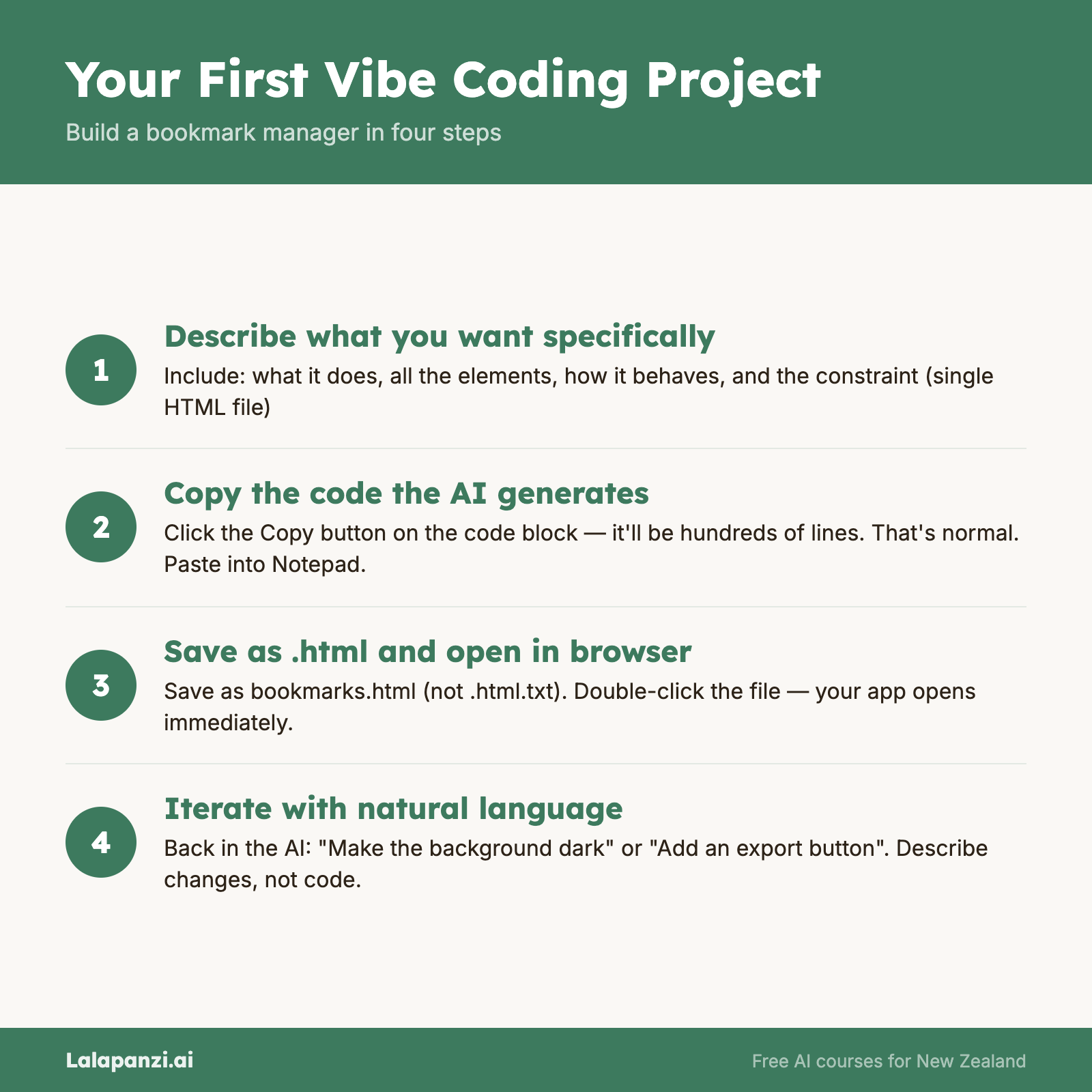
Step 1: Start with a Clear Description
Open your AI assistant and type something like this:
"I want to build a simple bookmark manager as a single HTML file. It should have:
- An input field where I can paste a URL
- An input field for a title/description
- An input field for tags (comma-separated)
- A save button that stores bookmarks in the browser's local storage
- A list below showing all saved bookmarks, with their title, URL (clickable), and tags
- A search bar at the top that filters bookmarks by title or tag
- A delete button next to each bookmark
- Clean, modern styling with a light background
Everything should work in a single HTML file with no external dependencies."
Notice what we're doing here. We're being specific about:
- What the tool does (saves and searches bookmarks)
- What elements it needs (input fields, buttons, a list)
- How it behaves (saves to local storage, filters by search, clickable links)
- How it looks (clean, modern, light background)
- Technical constraint (single HTML file, no external dependencies)
That last point is important. By asking for a single HTML file, we're keeping things simple. No build tools, no frameworks, no complexity. Just one file you can open in your browser.
Step 2: Get the Code
The AI will respond with a block of code. It'll look like a lot — probably a few hundred lines of HTML, CSS, and JavaScript all in one file. Don't worry about understanding it right now (that's the next lesson).
Here's what to do:
- Look for the code block — it'll be in a grey or dark box, usually starting with
<!DOCTYPE html>or<html>. - Copy all of it — most AI assistants have a "Copy" button on code blocks. Click it.
- Open a text editor:
- Windows: Open Notepad (search for it in the Start menu)
- Mac: Open TextEdit, then go to Format → Make Plain Text
- Either platform: If you have VS Code installed, even better — but Notepad works fine
- Paste the code into your text editor.
- Save the file as
bookmarks.html— make sure it ends in.html, not.html.txt.- In Notepad, change "Save as type" to "All Files" before saving
- Find the file in your file explorer and double-click it.
Your bookmark manager should open in your browser. Try it out — add a few bookmarks, search for them, delete one. It works!
Step 3: Make It Yours
Here's where vibe coding gets fun. Go back to your AI conversation and start customising:
"This is great! Can you make these changes:
- Change the colour scheme to dark mode (dark background, light text)
- Add the date each bookmark was saved
- Sort bookmarks with the newest at the top
- Make the tags clickable so clicking a tag filters by that tag"
The AI will give you an updated version. Copy it, paste it over the old code in your file, save, and refresh your browser. Your changes should appear instantly.
Try a few more tweaks. This is the creative part — you're designing a tool that works exactly how you want it to:
- "Add a button to export all bookmarks as a JSON file"
- "Group bookmarks by tag"
- "Add a character count for the description field"
- "Make it look more like a macOS app"
Each time, you're iterating. Describing what you want, getting the result, refining. This back-and-forth is the core of vibe coding.
Step 4: When Something Doesn't Work
It might not be perfect on the first try. Maybe the search doesn't filter properly, or a button doesn't do anything. This is normal — it happens to professional developers too.
When something's off, describe the problem clearly:
"The search bar isn't working. When I type a tag name, it doesn't filter the list. The bookmarks just stay the same."
Or:
"When I click save, nothing happens. The bookmark doesn't appear in the list below."
The AI will fix it. We'll cover debugging in detail in Lesson 4, but for now, just describe what you expected to happen and what actually happened. That's usually enough.
Step 5: Save Your Work
Your bookmark manager is a single file on your computer. You can:
- Email it to yourself as a backup
- Put it in a cloud folder (Google Drive, OneDrive, Dropbox)
- Share it with someone — just send them the file
- Open it on your phone — it'll work in a mobile browser too
Because it uses local storage, your saved bookmarks are tied to the browser you're using. Different browser = different bookmarks. That's a limitation of keeping things simple. (Later courses cover how to add proper databases.)
What Just Happened?
Take a moment to appreciate what you did. You built a functional web application. It has:
- A user interface with input fields and buttons
- Data persistence (your bookmarks survive page refreshes)
- Search functionality
- Create and delete operations
In the professional world, those four things — UI, persistence, search, CRUD operations — are the building blocks of most software. You just built all of them by describing what you wanted.
Tips for Better Results
After building your first project, here are patterns that consistently lead to better outcomes:
Be specific about behaviour, not implementation. Say "when I click the tag, it should filter the list to only show bookmarks with that tag" rather than "add an onClick handler to the tag elements." You're describing what you want, not how to code it.
Describe the starting state. "When the page first loads, it should show all bookmarks sorted by date" is more helpful than just "sort by date."
Give examples. "Tags should be displayed as small coloured pills, like you see on GitHub issues" helps the AI understand the visual style you're after.
One change at a time. If you ask for five changes at once and something breaks, you won't know which change caused the problem. Ask for one or two changes, test them, then ask for more.
Keep the conversation going. Don't start a new chat for each change. The AI remembers the context of your project within the same conversation. That context is valuable.
What You Can Build Next
Now that you've done this once, the pattern works for anything:
- A habit tracker — log daily habits, see your streaks
- A recipe scaler — input a recipe for 4 people, scale it to 7
- A study flashcard app — flip cards, mark ones you know
- A simple budget tracker — log expenses, see totals by category
- A workout timer — intervals, rest periods, rounds
Each of these follows the same process: describe clearly, get the code, save as an HTML file, open in your browser, iterate.
The more you build, the better you get at describing what you want. And the better your descriptions, the better your results. It's a virtuous cycle.
Key Takeaways
- You can build a working web app in minutes by describing it clearly to an AI assistant.
- Single HTML files are the simplest way to start — no build tools, no installations, no complexity.
- Iterate in conversation — describe what you want changed, get updated code, test it, repeat.
- Be specific about behaviour — what happens when someone clicks, what it looks like, how data is stored.
- Start small, then customise — get the basics working first, then add features one at a time.
Practical Exercise
Build your own project:
- Pick one of these ideas (or come up with your own):
- A daily journal/diary that saves entries by date
- A unit converter (km to miles, Celsius to Fahrenheit, etc.)
- A simple quiz about a topic you know well
- Open your AI assistant and describe the project clearly. Include:
- What it does
- What the user sees (inputs, buttons, displays)
- How it behaves (what happens when you click things)
- Ask for a single HTML file
- Save the code, open it in your browser, and test it.
- Go back to the AI and request at least three changes or improvements.
- Save your final version somewhere safe.
You've now built two things. You're a vibe coder.
Quiz
1. Why do we ask the AI for a "single HTML file with no external dependencies"?
a) Because it's the only way AI can generate code b) To keep things simple — one file you can open directly in your browser c) Because HTML is the only programming language d) Because external dependencies are illegal
Answer: b) A single HTML file is the simplest approach — no build tools or installations needed, just save and open in your browser.
2. When your vibe-coded project doesn't work as expected, what should you do?
a) Start over from scratch in a new conversation b) Try to fix the code yourself c) Describe what you expected to happen and what actually happened, then ask the AI to fix it d) Give up and try a different project
Answer: c) Clearly describing the problem — what you expected vs. what happened — gives the AI enough information to fix it.
3. What's the best approach when you want multiple changes to your project?
a) Ask for all changes at once to save time b) Ask for one or two changes at a time, test them, then ask for more c) Start a new conversation for each change d) Write the changes yourself in the code
Answer: b) Making one or two changes at a time means you can test each one and easily identify what caused any issues.
Visual overview