Understanding What the AI Built
Listen to this lesson
Understanding What the AI Built
Course: Vibe Coding Fundamentals | Pathway: Builder | Tier: Free | Level: Beginner Estimated Reading Time: 9 minutes
Reading Code Without Writing It
You've built something. It works. But when you look at the code, it's a wall of text that might as well be written in another language. That's okay — and that's exactly what this lesson is for.
You don't need to write code to vibe code. But being able to read code — even loosely — makes you dramatically better at it. Think of it like being able to read a building plan without being an architect. You can see where the rooms are, where the doors go, and whether something looks wrong. That's the level we're aiming for.
The Three Languages of the Web
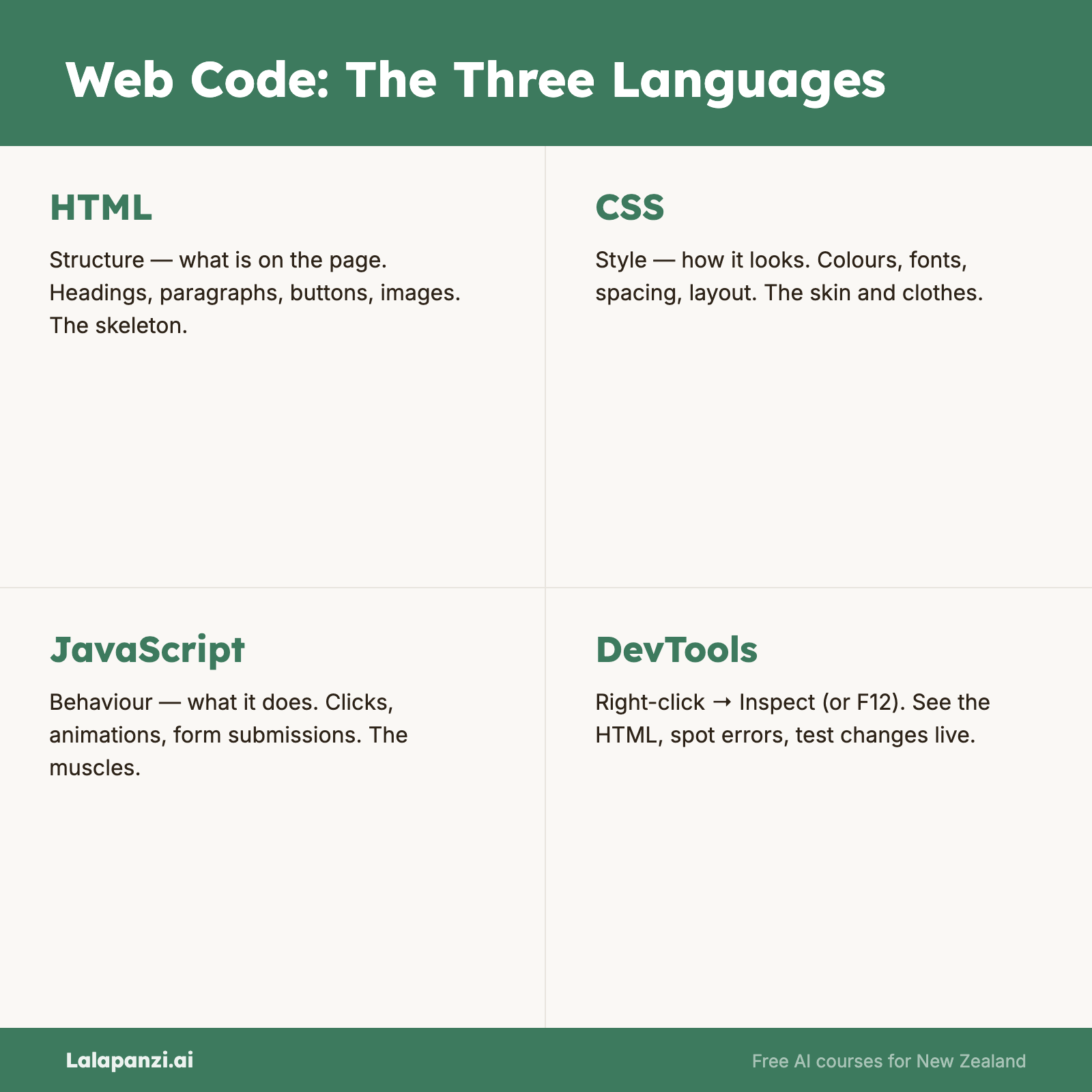
Almost every web project the AI builds for you uses three languages working together. They each have a different job:
HTML — The Structure
HTML is the skeleton. It defines what's on the page: headings, paragraphs, buttons, input fields, images, lists. When you see code wrapped in angle brackets like <button>Save</button>, that's HTML.
Think of HTML as the blueprint of a house — it says "there's a door here, a window there, a room over here."
CSS — The Style
CSS controls how things look: colours, fonts, spacing, layout, animations. When you see code that mentions color, font-size, background, or margin, that's CSS.
Think of CSS as the interior design — it doesn't change the structure, just how everything appears.
JavaScript — The Behaviour
JavaScript makes things do stuff: what happens when you click a button, how search filtering works, how data gets saved. When you see words like function, if, addEventListener, or forEach, that's JavaScript.
Think of JavaScript as the electrical and plumbing — the systems that make the house actually work.
Reading the Structure (HTML)
Open one of the files you built in the previous lesson in a text editor. Let's look at the HTML parts.
HTML uses tags — words wrapped in angle brackets that come in pairs:
<h1>My Bookmark Manager</h1>
<p>Save and search your favourite links.</p>
<button>Save Bookmark</button>
<input type="text" placeholder="Enter URL...">
Even without any training, you can probably guess what each of these does:
<h1>— a big heading (h1 is the biggest, h6 the smallest)<p>— a paragraph of text<button>— a clickable button<input>— a text field where you type things
Tags nest inside each other, creating a hierarchy:
<div class="bookmark-card">
  <h3>Recipe Website</h3>
  <a href="https://example.com">Visit Link</a>
  <p>Tags: cooking, dinner</p>
</div>
Here, a <div> (a container, like a box) holds a heading, a link, and a paragraph. The class="bookmark-card" is a label that CSS uses to style this particular box.
What to look for: When the AI builds your project, scan the HTML for the elements you asked for. Did you request a search bar? Look for <input> near the top. A list of items? Look for repeated structures inside a container. If something's missing from the page, it's probably missing from the HTML.
Reading the Style (CSS)
CSS usually lives between <style> tags or in a separate .css file. It looks like this:
.bookmark-card {
  background-color: #f5f5f5;
  padding: 16px;
  border-radius: 8px;
  margin-bottom: 12px;
}

h1 {
  color: #333;
  font-size: 24px;
}
The pattern is always: selector (what to style) followed by properties (how to style it) in curly braces.
Most CSS properties are surprisingly readable:
background-color— the background colourpadding— space inside the elementmargin— space outside the elementborder-radius— how rounded the corners arefont-size— how big the text iscolor— the text colourdisplay: flex— a layout method that arranges things in a row or column
Colours appear as hex codes (like #f5f5f5) or named colours (like white, tomato, steelblue). Hex codes are just a way of specifying exact colours — #000000 is black, #ffffff is white.
What to look for: When you want to change how something looks, find its CSS. Want bigger text? Look for font-size. Want different colours? Look for color and background-color. You can even tell the AI: "Change the background-color of .bookmark-card to light blue" — and you'll sound like you know exactly what you're doing.
Reading the Behaviour (JavaScript)
JavaScript is where things get more complex, but you still don't need to understand every line. Here's what to look for:
Functions are named blocks of code that do something:
function saveBookmark() {
  // code that saves a bookmark
}

function deleteBookmark(id) {
  // code that deletes a specific bookmark
}

function filterBookmarks(searchTerm) {
  // code that filters the list
}
Just from the function names, you can tell what each one does. Good AI-generated code uses descriptive names — and you can ask the AI to rename things if the names aren't clear.
Event listeners connect actions to functions:
saveButton.addEventListener('click', saveBookmark);
searchInput.addEventListener('input', filterBookmarks);
Translation: "When the save button is clicked, run the saveBookmark function." "When someone types in the search input, run filterBookmarks."
Variables store information:
let bookmarks = [];
const title = document.getElementById('title-input').value;
The first line creates an empty list called bookmarks. The second grabs whatever text is in the title input field.
What to look for: When a feature isn't working, find the function responsible for it. If clicking "Save" does nothing, look for the saveBookmark function and the event listener that connects it to the button. You don't need to fix it yourself — but you can tell the AI: "The saveBookmark function doesn't seem to be running when I click the Save button."
The Power of Informed Prompting
This is why reading code matters for vibe coding. Compare these two bug reports:
Without code reading: "The save button doesn't work."
With code reading: "The save button doesn't work. I can see there's a saveBookmark function, but I don't think the click event is connected to the button. The button has id='save-btn' but the JavaScript seems to be looking for id='saveButton'."
The second one gets you a fix in seconds. The first might take several back-and-forth messages to diagnose.
Using Your Browser's Developer Tools
Here's a powerful trick: your browser has built-in tools for inspecting web pages.
- Open your project in the browser
- Right-click on any element and select "Inspect" (or press F12)
- The Developer Tools panel opens
On the Elements tab, you can see the HTML structure and hover over elements to highlight them on the page. On the Console tab, you can see error messages — red text usually means something went wrong in the JavaScript.
You don't need to understand every error message. But if you see a red error, you can copy it and paste it to your AI assistant: "I'm getting this error in the console: [paste error]. Can you fix it?"
This is incredibly useful. Professional developers use these same tools every day.
How Much Do You Need to Know?
Honestly? What you've just learned in this lesson is enough. You can now:
- Recognise HTML, CSS, and JavaScript and know what each does
- Scan code for the elements and features you asked for
- Read function names to understand what different parts of the code do
- Use browser developer tools to find error messages
- Give the AI more specific, informed descriptions of problems
You don't need to go deeper unless you want to. And if you do want to — the Developer's Toolkit course is waiting for you.
Key Takeaways
- HTML is structure (what's on the page), CSS is style (how it looks), JavaScript is behaviour (what it does).
- You don't need to write code — but reading function names, HTML tags, and CSS properties makes you a much better vibe coder.
- Browser Developer Tools (right-click → Inspect, or F12) let you see the HTML structure and any error messages.
- Informed prompts get better results — telling the AI "the
saveBookmarkfunction isn't firing" is faster than "the button doesn't work."
Practical Exercise
Inspect your own project:
- Open the bookmark manager (or whatever you built in Lesson 2) in your browser.
- Right-click on the page title and select "Inspect." Find the
<h1>or<h2>tag in the Elements panel. - Open the Console tab (in Developer Tools). If there are any red errors, copy one.
- Open your project file in a text editor. Find:
- The HTML section (look for tags like
<div>,<button>,<input>) - The CSS section (look for
<style>tags) - The JavaScript section (look for
<script>tags)
- The HTML section (look for tags like
- Find three function names in the JavaScript and write down what you think each one does, based on the name alone.
- Bonus: Tell your AI assistant one specific thing you found in the code and ask it to explain how that part works.
Quiz
1. What are the three languages used in most web projects?
a) Python, Java, and Ruby b) HTML, CSS, and JavaScript c) Word, Excel, and PowerPoint d) HTTP, FTP, and DNS
Answer: b) HTML provides structure, CSS provides styling, and JavaScript provides behaviour/interactivity.
2. How do you open Developer Tools in your browser?
a) Download a special extension b) Right-click on the page and select "Inspect" (or press F12) c) Type "developer tools" into the URL bar d) You need a professional developer account
Answer: b) Right-click → Inspect or press F12 to open Developer Tools in any modern browser.
3. Why does reading code help with vibe coding?
a) You need to manually fix every bug yourself b) It lets you give the AI more specific descriptions of problems, leading to faster fixes c) The AI won't generate code unless you prove you can read it d) Reading code is required to save files to your computer
Answer: b) Being able to read code lets you pinpoint issues and describe them precisely, which helps the AI fix problems faster.
Visual overview