Lesson 5: From Idea to Working App
Listen to this lesson
Lesson 5: From Idea to Working App
Reading time: 9 minutes
The Full Picture
You've learned how to talk to AI, how to prompt it to write code, how to read what it produces, and how to fix things when they break. Now it's time to put it all together. This lesson walks through the complete vibe coding workflow — from a rough idea in your head to a working application you can share with the world.
We'll also be honest about what's realistic and what's not. That matters, because the gap between expectation and reality is where most people get discouraged and quit.
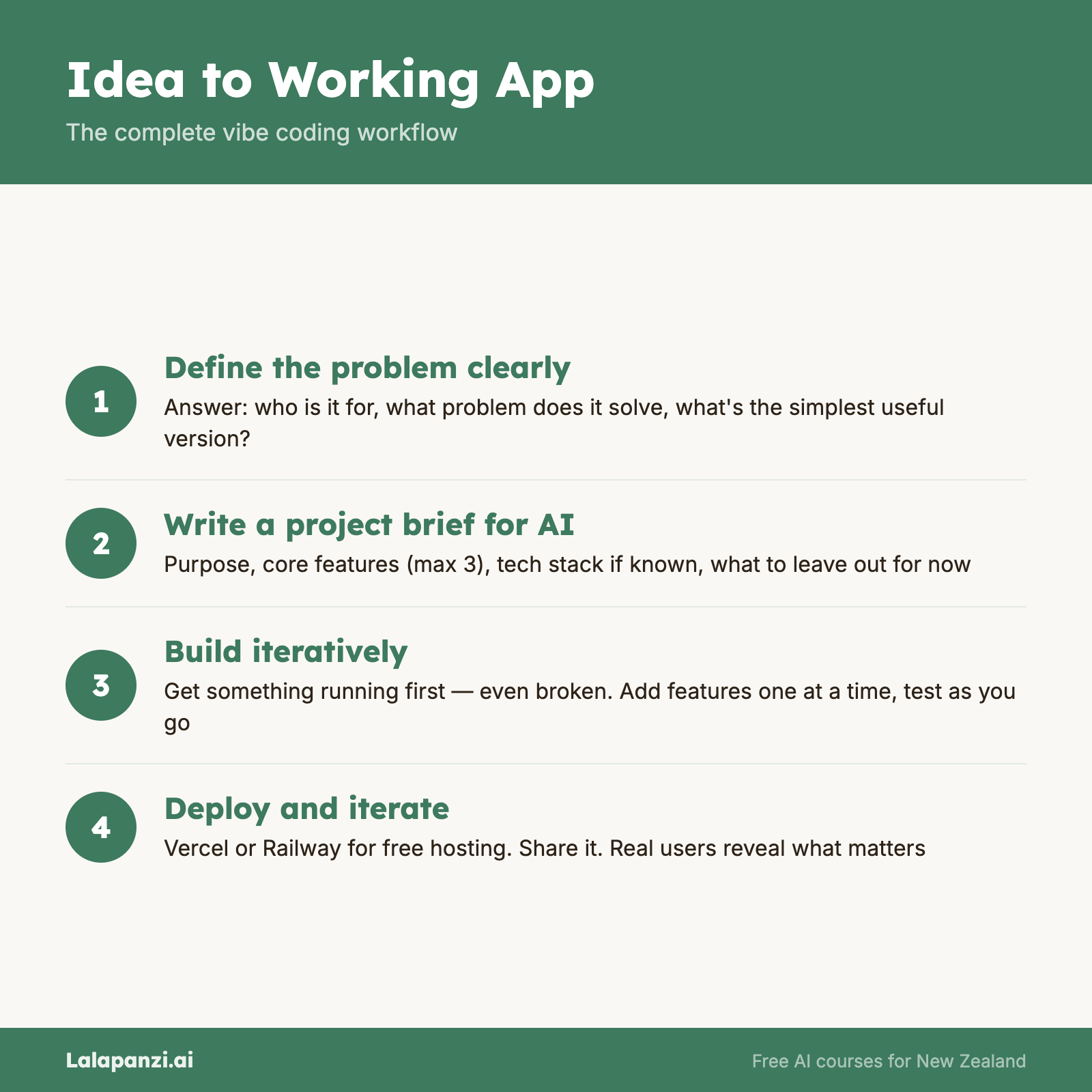
Step 1: Start with a Clear Problem
Every good app starts with a problem worth solving. Not a technology. Not a feature list. A problem.
"I want to build an app" is too vague. "I keep forgetting which bills are due when, and I want a simple dashboard that shows me what's coming up this week" — that's a problem you can build for.
Before you write a single prompt, answer these questions:
- Who is this for? (Just me? My team? Customers?)
- What problem does it solve?
- What's the simplest version that would actually be useful?
That last question is crucial. In the software world, this is called an MVP — a Minimum Viable Product. It's the smallest thing you can build that still solves the core problem. Everything else comes later.
Step 2: Describe It to AI Like a Brief
Once you know what you're building, write a clear brief for the AI. Think of it like briefing a contractor — you wouldn't just say "build me a house." You'd describe what you need.
A good project brief includes:
- What the app does (one or two sentences)
- Who uses it (you, your team, the public)
- Key features (list the 3–5 most important things it should do)
- What it should look like (simple and clean? colourful? dashboard-style?)
- Any technical preferences (if you have them — it's fine if you don't)
Example brief:
"Build me a simple bill tracker web app. I want to add bills with a name, amount, and due date. The main screen should show bills due this week at the top, then everything else sorted by date. I want to be able to mark bills as paid. Keep the design clean and minimal — white background, simple fonts."
That's enough for AI to build a solid first version. You'll refine from there.
Step 3: Build in Stages
Here's a mistake almost every beginner makes: trying to build everything at once. You describe a ten-feature app and ask AI to create it all in one go. The result is usually a tangled mess that's hard to fix when (not if) things go wrong.
Instead, build in stages:
Stage 1: Core functionality. Get the basic thing working. For our bill tracker, that's adding a bill and seeing it on screen. Nothing else.
Stage 2: Essential features. Add the next most important thing. Mark bills as paid. Sort by due date. Show this week's bills separately.
Stage 3: Polish. Make it look good. Add proper spacing, colours, and responsive design so it works on mobile.
Stage 4: Nice-to-haves. Notifications, categories, recurring bills — the extras that make it great but aren't essential.
Each stage should work on its own. After Stage 1, you have a functioning (if basic) app. After Stage 2, it's genuinely useful. This approach means you always have something that works, even if you stop halfway through.
Step 4: Test as You Go
After each stage, actually use the app. Click every button. Try entering weird data. Try leaving fields blank. Try it on your phone.
You're not looking for perfection — you're looking for anything that feels broken or confusing. When you find something, use the debugging skills from Lesson 4 to describe the issue and get it fixed before moving on.
This is far easier than building everything first and then trying to untangle a web of problems at the end.
Step 5: Save Your Work
Once your app is working, make sure you have a copy of the code. If you're using an AI tool that gives you a project folder, download it. If you're working in an online editor like Replit or StackBlitz, your work is saved automatically, but it's still worth downloading a backup.
As you progress, you'll learn about version control (Git) — a proper system for tracking changes to your code. For now, just make sure you don't lose what you've built.
Step 6: Share It
A working app on your computer is great. A working app that other people can access is even better. Deployment — putting your app on the internet — is covered in The Developer's Toolkit course. But even before you learn deployment, most online editors let you share a live preview link.
Show someone. Get feedback. That's how real apps improve.
What's Realistic (And What's Not)
Let's be honest about what vibe coding can and can't do, because managing expectations is part of the skill.
You can realistically build:
- Personal tools — dashboards, trackers, calculators, simple databases
- Landing pages and portfolios — professional-looking websites
- Simple web apps — to-do lists, booking forms, survey tools, timers
- Prototypes — working demos of bigger ideas
- Internal tools — things for your team that don't need to scale to thousands of people
- Automations — scripts that connect services, process data, send notifications
You should be cautious about:
- Apps that handle sensitive data — banking, medical records, passwords. Security is complex, and AI-generated code doesn't automatically follow best practices for protecting data.
- Apps at scale — something used by thousands of people simultaneously needs architecture that goes beyond what a simple prompt can produce.
- Anything safety-critical — controlling hardware, making medical decisions, managing infrastructure.
You probably can't (yet) build:
- Complex platforms — think Airbnb, Spotify, or a full e-commerce marketplace. These involve hundreds of interconnected systems.
- Native mobile apps — you can build web apps that work on phones, but building something that goes in the App Store is a bigger undertaking.
- Real-time multiplayer systems — games, collaborative editing tools, live chat at scale.
None of these limitations are permanent. AI tools are improving rapidly, and what's hard today might be straightforward in a year. But right now, the sweet spot for vibe coding is personal tools, prototypes, and small-to-medium web apps.
Best Practices for Vibe Coders
These are the habits that separate people who build one thing and stop from people who keep building:
Keep prompts focused. One feature per conversation turn. Don't ask for five things at once.
Read before you accept. You don't need to understand every line, but skim the code before pasting it in. Does it look roughly right? Is it about the right length? Over time, you'll develop an instinct for this.
Save working versions. Before asking AI to make a big change, save a copy of the current working code. If the change breaks everything, you can go back.
Don't chase perfection early. Get it working, then make it good, then make it great. In that order.
Learn a little bit of code. You don't need to become a developer, but understanding basic concepts — variables, functions, loops — makes you dramatically more effective at directing AI. It's the difference between telling a builder "make the wall straighter" and "move the wall 50mm to the left."
Document what you build. Keep a simple note — what the app does, what AI tool you used, any quirks or things to remember. Future you will be grateful.
The Vibe Coding Mindset
Vibe coding isn't about replacing developers or pretending code doesn't matter. It's about making building accessible to people who have ideas and problems worth solving but don't have years to spend learning programming from scratch.
You're the director. AI is the crew. You decide what gets built and why. The AI handles the how. When it gets something wrong, you guide it. When it gets something right, you build on it.
That's a genuine skill. And you've just learned the fundamentals of it.
Key Takeaways
- Start with a problem, not a technology — the clearest path to a useful app begins with a real need.
- Build in stages — core functionality first, then features, then polish. Always have something that works.
- Test as you go — catch and fix issues at each stage rather than all at the end.
- Be realistic about scope — personal tools and prototypes are the sweet spot. Complex platforms need more than prompts.
- Keep building — every project teaches you something. The fifth thing you build will be dramatically better than the first.
Exercise: Build Your First Complete App
Choose a simple problem from your own life — tracking something, calculating something, organising something. Then follow the full workflow:
- Write a clear brief (problem, audience, 3–5 features, design preference)
- Build Stage 1 with AI (core functionality only)
- Test it, fix any issues
- Build Stage 2 (add your next most important feature)
- Test again, fix issues
- Polish the design
Share the result with someone — a friend, a colleague, or a community. Notice how it feels to go from idea to working app. That's the vibe coding workflow in action.
Quick Quiz
1. What's the best way to start a vibe coding project?
a) Ask AI to build something cool
b) Start with a clear problem and a simple brief describing what the app should do
c) Copy an existing app idea from the internet
d) Write the code yourself first, then ask AI to improve it
Answer: b) A clear problem and a focused brief give AI the direction it needs to build something genuinely useful.
2. Why should you build in stages rather than all at once?
a) AI can only write a few lines of code at a time
b) It's slower but more impressive
c) Each stage gives you a working app, and problems are easier to find and fix in small batches
d) You need to pay for each AI prompt separately
Answer: c) Building incrementally means you always have something functional, and debugging is far simpler when you're only changing one thing at a time.
3. Which of these is a realistic vibe coding project for a beginner?
a) A personal expense tracker web app
b) A competitor to Spotify
c) A real-time multiplayer game
d) A banking application that handles transactions
Answer: a) Personal tools and simple web apps are the sweet spot for vibe coding. The other options require specialised architecture, security expertise, or complex systems beyond what prompts can reliably produce.
Visual overview