Module 3, Lesson 2: What Each Tool Is Best At (and Where Each Falls Short)
Listen to this lesson
Module 3, Lesson 2: What Each Tool Is Best At (and Where Each Falls Short)
Estimated reading time: 9 minutes
Beyond the Basics
In the last lesson, we introduced the four major AI tools. Now let's get specific: when should you reach for which tool, and when should you think twice?
This isn't about declaring a winner. It's about matching the right tool to the right job — because they genuinely are different, even when they look similar on the surface.
ChatGPT — The All-Rounder
Where it shines
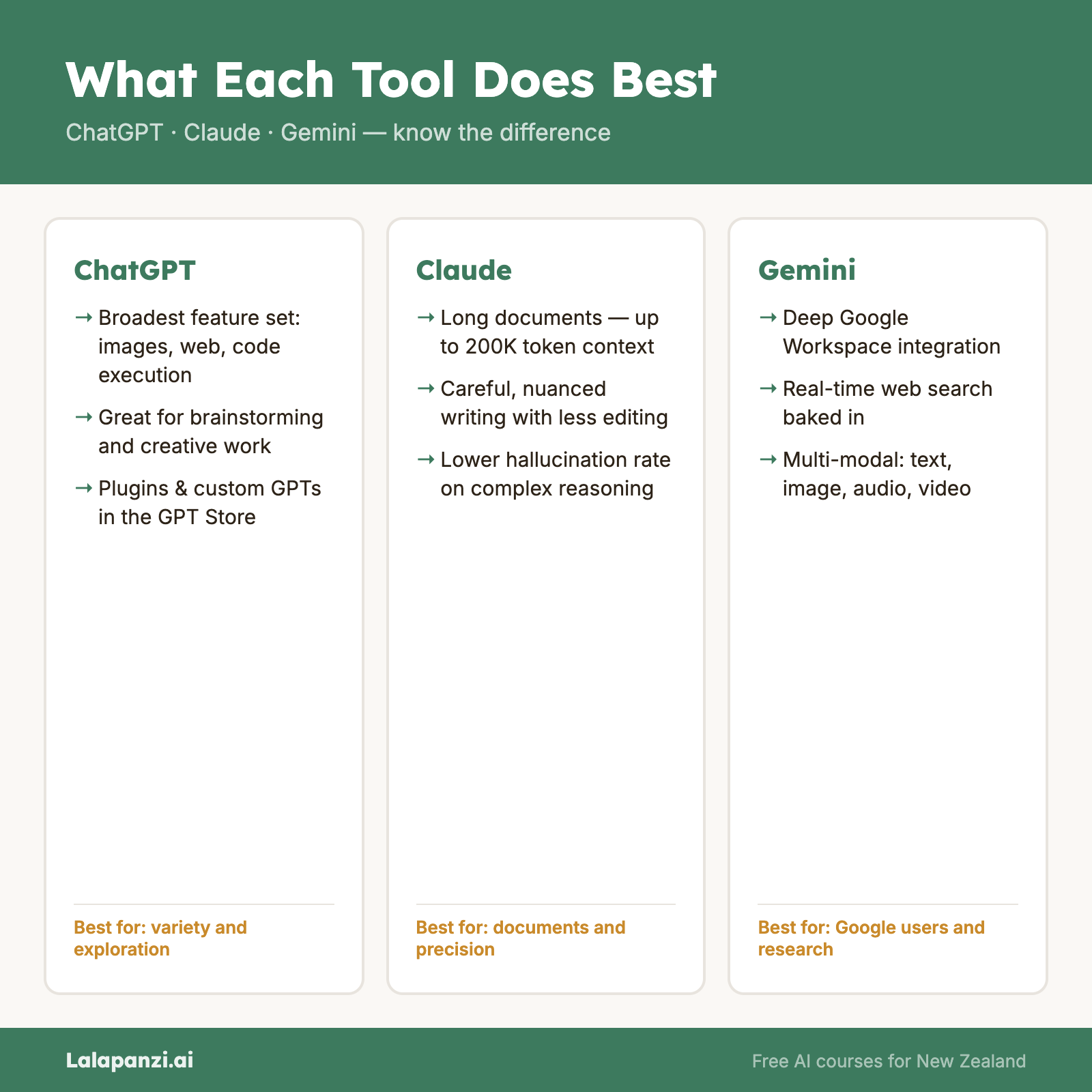
Breadth of features. ChatGPT has the widest feature set of any AI assistant. It can generate text, create images (using DALL-E), browse the web, execute code, analyse uploaded files, and more — all in one conversation. If you only want to learn one tool, ChatGPT gives you the most ground.
Image generation and vision. ChatGPT's image generation is tightly integrated. You can ask it to create an image, then ask it to modify that image, all within the same chat. It can also analyse images you upload — describe what's in a photo, read text from a screenshot, or interpret a chart.
Plugins and GPTs. OpenAI's GPT Store lets you access thousands of custom-built mini-applications. Need a tool that specialises in meal planning, legal research, or language learning? There's likely a custom GPT for it.
Code execution. ChatGPT can actually run Python code in your conversation. This means it can do real calculations, create charts, process data files, and verify its own maths — rather than just guessing at the answer.
Where it falls short
Consistency. ChatGPT can sometimes give different answers to the same question asked twice. Its output quality can be uneven, particularly for nuanced or complex topics.
Verbosity. It tends to over-explain. Ask a simple question and you'll often get a longer answer than you need, complete with unnecessary caveats and qualifications.
Privacy concerns. OpenAI's data practices have drawn scrutiny. By default, your conversations may be used to train future models (you can opt out, but you need to know to do so). For sensitive business information, this matters.
Accuracy on facts. Like all large language models, ChatGPT can state incorrect information confidently. Its web browsing helps with current events, but it doesn't eliminate the problem.
Claude — The Thoughtful Analyst
Where it shines
Long document analysis. Claude has one of the largest context windows available — it can process very long documents (up to roughly 150,000 words in a single conversation). If you need to analyse a lengthy report, contract, or research paper, Claude handles this exceptionally well.
Nuanced writing. Claude tends to produce writing that feels more natural and less formulaic than its competitors. It's particularly good at matching tone and adapting its style to what you need.
Careful reasoning. Claude is generally more cautious and transparent about what it doesn't know. It's less likely to confidently make things up, and more likely to flag uncertainty. For tasks where accuracy matters, this is valuable.
Artifacts and projects. Claude's "Artifacts" feature lets it create standalone documents, code, and other outputs alongside the conversation. Its "Projects" feature lets you upload reference documents that persist across multiple conversations — useful for ongoing work.
Where it falls short
No image generation. Claude cannot create images. If you need visual content, you'll need another tool.
No web browsing (standard). As of early 2026, Claude's web access is more limited than ChatGPT's or Gemini's. It can search the web in some contexts, but it's not as seamlessly integrated.
Smaller ecosystem. Claude doesn't have an equivalent to ChatGPT's plugin store or custom GPTs. It's a more focused tool — which is a strength for some uses and a limitation for others.
Usage limits on free tier. Claude's free tier is more restrictive than some competitors. You can hit your daily limit relatively quickly if you're working through complex tasks.
Gemini — The Google Native
Where it shines
Current information. Built by Google, Gemini has strong access to current web information. When you need up-to-date facts, recent news, or current data, Gemini is often the most reliable choice.
Google Workspace integration. If your organisation uses Google Workspace, Gemini can work directly within Gmail, Docs, Sheets, and Slides. It can draft emails in your Gmail, summarise documents in Docs, and help with formulas in Sheets — all without leaving the apps.
Multimodal capabilities. Gemini is strong at understanding images, audio, and video — not just text. You can upload a photo and ask questions about it, or have it analyse video content.
Free tier generosity. Google's free tier for Gemini tends to be relatively generous, partly because Google can offset costs through its broader business model.
Where it falls short
Writing quality. Gemini's writing output can feel more generic or "AI-ish" compared to Claude or ChatGPT. For creative writing, nuanced analysis, or content that needs to feel human, it's often not the first choice.
Consistency and reliability. Gemini can occasionally produce responses that feel incomplete or that shift in quality. It's improving steadily, but it's not always as polished as its competitors.
Privacy within Google. Using Gemini means your data flows through Google's ecosystem. For some people and organisations, adding more data to Google's reach is a concern.
Availability. Some Gemini features are region-restricted or only available through specific Google plans. Not everything works everywhere yet.
Microsoft Copilot — The Productivity Partner
Where it shines
Microsoft 365 integration. This is Copilot's killer feature. It works inside Word, Excel, PowerPoint, Outlook, and Teams. You can ask it to draft a document in Word, create a presentation from a brief, summarise an email thread in Outlook, or analyse data in Excel — all within the apps themselves.
Enterprise readiness. Copilot is designed for business use from the ground up. It respects your organisation's data boundaries, integrates with existing Microsoft security and compliance tools, and doesn't use your data to train models.
Meeting summaries. In Microsoft Teams, Copilot can summarise meetings, list action items, and answer questions about what was discussed — even if you joined late or missed the meeting entirely.
Familiarity. If you already use Microsoft 365 every day, Copilot feels natural. It's not a separate tool to learn; it's an enhancement to tools you already know.
Where it falls short
Cost. The full Microsoft 365 Copilot experience is expensive — it requires a Microsoft 365 business licence plus a Copilot add-on, which costs around $30 USD per user per month (as of early 2026). For individuals or small teams, this is a significant investment.
Standalone limitations. The free Copilot chat experience (copilot.microsoft.com) is decent but not as capable as ChatGPT or Claude for general-purpose tasks. Copilot's strength is inside Microsoft apps, not outside them.
Dependent on your data. Copilot works best when your Microsoft 365 environment is well-organised. If your files, emails, and Teams channels are a mess, Copilot's outputs will reflect that.
Less flexible for creative tasks. Copilot is optimised for productivity and business tasks. For creative writing, brainstorming, or open-ended exploration, other tools tend to perform better.
The Honest Summary
| Need | Best choice | Why |
|---|---|---|
| General all-purpose use | ChatGPT | Widest feature set, most versatile |
| Analysing long documents | Claude | Largest context window, careful reasoning |
| Current information / facts | Gemini | Google's search integration |
| Working inside Microsoft 365 | Copilot | Native integration with Word, Excel, Outlook |
| Creative writing | Claude or ChatGPT | More natural, nuanced output |
| Image generation | ChatGPT | Built-in DALL-E integration |
| Privacy-conscious use | Claude or Copilot (enterprise) | Stronger privacy positions |
| Budget-conscious use | Gemini or ChatGPT free tier | More generous free access |
The real answer, though? Try them. Your preferences will depend on how you think, what you're working on, and what ecosystem you're already in. There's no substitute for hands-on experience.
Key Takeaways
- ChatGPT is the broadest tool — the most features, the most versatile, but can be inconsistent and verbose.
- Claude excels at careful, nuanced work — long documents, thoughtful writing, transparent reasoning — but lacks image generation and has a smaller ecosystem.
- Gemini is strongest for current information and Google Workspace integration, but its writing quality trails behind.
- Copilot is most powerful inside Microsoft 365, but expensive and less capable as a standalone tool.
- No single tool is best at everything. Matching the tool to the task is a skill worth developing.
Practical Exercise
Head-to-head comparison.
- Choose a task that's relevant to your work or daily life. For example:
- Summarise a news article
- Draft a professional email
- Explain a concept you've been struggling with
- Write a social media post
- Complete that task using two different AI tools (use whichever two you have access to).
- Compare the results side by side:
- Which output was more useful?
- Which felt more natural?
- Did either tool make a noticeable mistake?
- Which was faster or easier to use?
- Write a short paragraph (3–5 sentences) summarising which tool you preferred for this task, and why.
Knowledge Check
1. Which tool is generally best for analysing very long documents?
- a) ChatGPT
- b) Copilot
- c) Claude
- d) Gemini
Answer: c) Claude — it has one of the largest context windows and is designed for careful, detailed analysis.
2. What is the main limitation of Microsoft Copilot compared to the other tools?
- a) It can't generate text
- b) It requires an expensive licence for full functionality and is less capable as a standalone chat tool
- c) It doesn't use AI at all
- d) It only works on mobile devices
Answer: b) It requires an expensive licence for full functionality and is less capable as a standalone chat tool
3. If you need up-to-date information about a recent event, which tool would likely perform best?
- a) Claude
- b) Copilot
- c) ChatGPT
- d) Gemini
Answer: d) Gemini — its deep integration with Google Search gives it strong access to current information.
Visual overview