Module 4, Lesson 1: Writing Assistance — Drafting, Editing, Summarising, Translating
Listen to this lesson
Module 4, Lesson 1: Writing Assistance — Drafting, Editing, Summarising, Translating
Estimated reading time: 9 minutes
The Most Common Use Case
Writing is the single most popular use of AI tools. Whether it's drafting an email, polishing a report, summarising a long document, or translating content — this is where most people start with AI, and where most people get the quickest wins.
This lesson covers practical techniques for each type of writing task, with real examples you can adapt.
Drafting
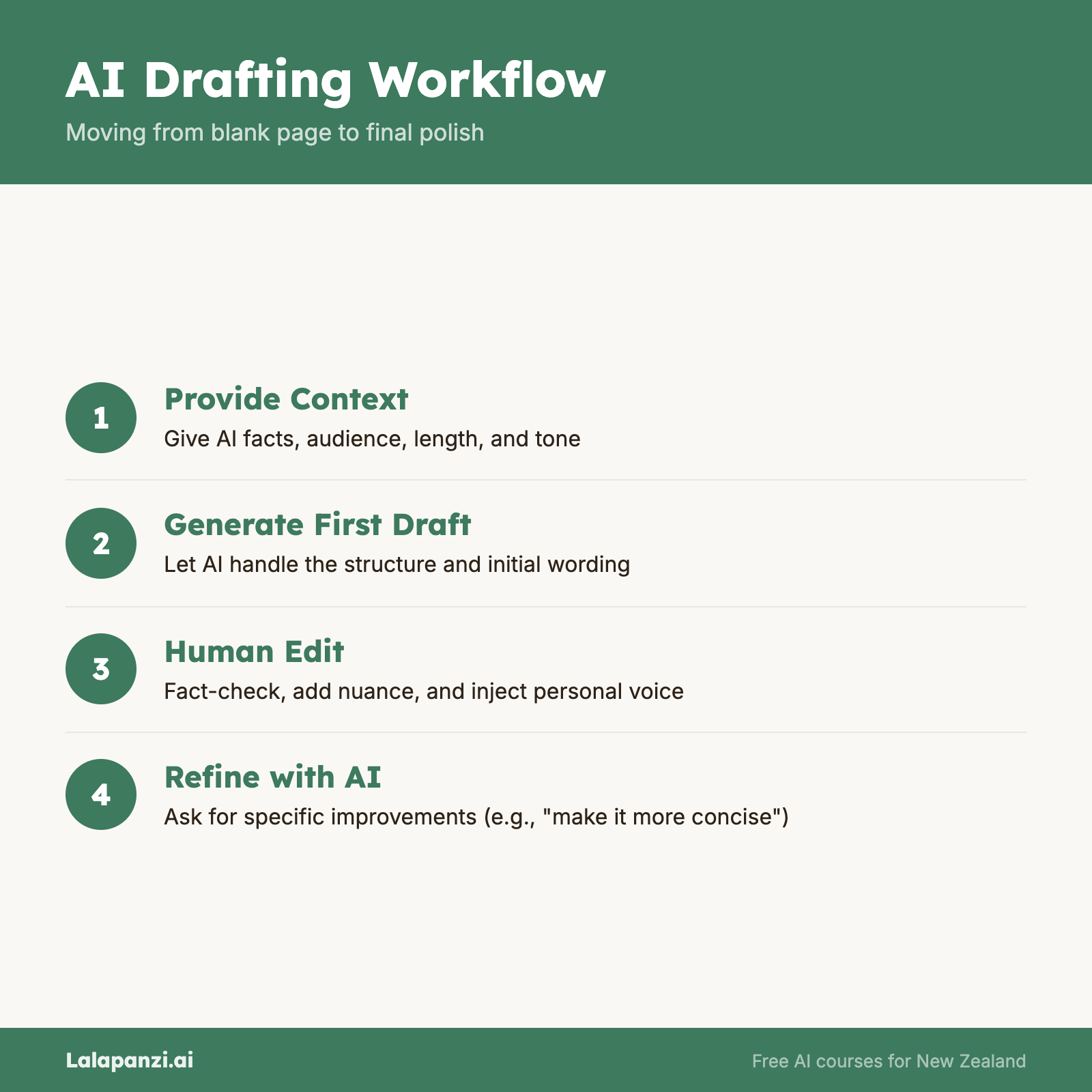
AI is excellent at getting you past the blank page. Instead of staring at an empty document, you give the AI some direction and let it produce a first draft that you can then shape.
How to get good drafts
The key to useful AI drafts is giving enough context. Compare these two prompts:
Weak: "Write a report about our quarterly results."
Strong: "Draft a one-page summary of our Q3 results for the management team. Revenue was $2.4M (up 12% from Q2), expenses were $1.8M (up 5%), and we hired 3 new staff. Tone should be professional but not overly formal. Highlight the revenue growth and flag that expense growth needs monitoring."
The second prompt gives the AI the facts, the audience, the length, and the tone. The result will be dramatically better.
Practical tips for drafting
- Always provide the key facts. AI can't invent accurate information about your business. Give it the data points you want included.
- Specify the audience. Writing for your CEO is different from writing for a customer. Tell the AI who's reading.
- Set the length. "One paragraph," "half a page," "300 words" — be specific or you'll get more than you want.
- Describe the tone. "Professional," "friendly," "direct," "encouraging" — these words make a real difference to the output.
- Treat it as a starting point. AI drafts are first drafts. Read them critically, adjust the parts that don't sound like you, add what's missing, and remove what doesn't fit.
What AI drafts well
- Emails and correspondence
- Meeting agendas and minutes
- Blog posts and articles
- Social media posts
- Job descriptions
- Standard business documents (proposals, briefs, reports)
What to be careful with
- Anything requiring precise facts that the AI doesn't have
- Legal or compliance documents (always have a professional review these)
- Content where your personal voice or expertise is the point
Editing and Improving
AI is arguably even better at editing than at drafting from scratch. Give it something you've written and ask it to improve specific aspects.
How to use AI for editing
For clarity: "Edit this paragraph to be clearer and more concise. Keep the meaning the same."
For tone: "Rewrite this email to sound more professional" or "Make this friendlier and less formal."
For structure: "Reorganise this document so the most important information comes first."
For grammar and style: "Check this text for grammar, spelling, and awkward phrasing. Use NZ English."
The trick that makes editing work
Don't just say "make this better." Be specific about what you want improved. "Make this shorter" is more useful than "improve this." "Simplify the language — the audience doesn't have a technical background" is more useful still.
A practical editing workflow
- Write your first draft yourself (even if it's rough)
- Paste it into an AI tool
- Ask for specific improvements: "Make this more concise," "Fix any grammar issues," "Suggest a stronger opening sentence"
- Review the AI's suggestions — accept what works, reject what doesn't
- Make final adjustments in your own voice
This workflow preserves your thinking and voice while using AI to polish the output. It's faster and produces better results than having AI draft from scratch.
Summarising
This is one of AI's most reliably useful capabilities. Give it a long document and ask for a summary. It's not perfect, but it's remarkably good.
How to get good summaries
Specify the length: "Summarise this in 3 bullet points" or "Give me a one-paragraph summary."
Specify what matters: "Summarise this report, focusing on the financial recommendations" or "Summarise this article — I mainly care about the implications for the NZ market."
Specify the format: "Summarise this as a bullet list of key decisions made" or "Write a summary I could forward to my manager."
What you can summarise
- Long reports and documents (upload them directly)
- Articles and research papers
- Meeting transcripts
- Email threads
- Legal documents (for your own understanding — not as legal advice)
- Books and long-form content
Real example
Prompt: "I'm uploading our company's 40-page annual report. Please summarise it in 5 bullet points, focusing on: revenue performance, major risks identified, and strategic priorities for next year. Keep it under 200 words."
This gives the AI a clear task, specific focus areas, and a length constraint. The result will be far more useful than a generic "summarise this."
Limitations to know
- AI summaries can miss nuance or context that a human would catch
- For very long documents, the AI may focus unevenly on different sections
- Always spot-check summaries against the original for important work
- Numbers and specific claims in summaries should be verified
Translating
AI translation has improved enormously. For most common languages, AI tools produce translations that are natural-sounding and largely accurate.
How to get good translations
Provide context: "Translate this business email from English to Japanese. It's from a supplier to a client — please keep the tone polite and professional."
Specify formality: Many languages have formal and informal registers. "Use formal language" or "This is a casual conversation" helps the AI choose the right register.
Ask for alternatives: "Translate this phrase into French. Give me three options — one formal, one casual, and one that sounds most natural for everyday conversation."
Where AI translation works well
- Business correspondence
- General documents and content
- Travel and day-to-day communication
- Getting the gist of content in a language you don't read
- Translating your own writing into another language
Where to be cautious
- Legal and medical documents — professional human translation is still essential for anything with legal or health consequences.
- Marketing and creative content — translation is about more than words; it's about cultural context. AI misses cultural nuance that a human translator would catch.
- Te reo Māori — AI tools have limited capability with te reo Māori. Quality varies significantly, and errors can be culturally insensitive. For te reo content, work with fluent speakers.
- Low-resource languages — AI translation quality drops significantly for languages with less training data.
Putting It All Together
The common thread across all these writing tasks: AI works best when you're specific about what you need. Vague requests get vague results. Clear, detailed requests get useful outputs.
And always remember: AI is a tool, not a replacement for your judgment. It can produce text faster than you can type, but only you know whether that text is accurate, appropriate, and truly says what you mean.
Key Takeaways
- Drafting works best when you provide the facts, audience, tone, and length — don't expect AI to know what you mean from a vague prompt.
- Editing is often more effective than drafting from scratch — write your first draft, then use AI to polish it.
- Summarising is one of AI's most reliable capabilities, but always specify what to focus on and what format you want.
- AI translation is good for most common languages but falls short for legal/medical content, creative work, and lower-resource languages including te reo Māori.
- The golden rule: be specific. The more clearly you describe what you need, the better the result.
Practical Exercise
Use AI for a real writing task.
- Choose a writing task from your actual work or personal life. Some ideas:
- Draft an email you've been putting off
- Summarise a long document or report you need to read
- Edit something you've written to make it clearer
- Translate a short piece of text for a colleague or friend
- Complete the task using an AI tool of your choice.
- Important: Don't use the AI output as-is. Review it, edit it, and make it your own before sending or sharing.
- Reflect:
- How much time did the AI save you?
- What did you need to change in the AI's output?
- Would you use this approach again for similar tasks?
Knowledge Check
1. What's the most important thing to include when asking AI to draft something for you?
- a) As little information as possible, so the AI can be creative
- b) Specific context: the facts, audience, tone, and desired length
- c) Only the topic — the AI will figure out the rest
- d) A request to make it "really good"
Answer: b) Specific context — the more detail you provide about facts, audience, tone, and length, the better the draft will be.
2. When using AI for editing, what approach tends to produce the best results?
- a) Ask the AI to "make it better" without further instruction
- b) Write your own first draft, then ask the AI for specific improvements (clarity, tone, conciseness)
- c) Let the AI write everything from scratch
- d) Only use AI for spell-checking
Answer: b) Writing your own draft first and then asking for specific improvements preserves your voice while using AI to polish the output.
3. What's an important limitation to keep in mind when using AI to summarise documents?
- a) AI can only summarise documents under 1 page
- b) AI summaries are always 100% accurate
- c) AI summaries can miss nuance, and numbers or specific claims should be verified against the original
- d) AI can only summarise documents in English
Answer: c) AI summaries can miss nuance and context — always spot-check specific facts and claims against the original document.
Visual overview