Module 3, Lesson 3: Free vs Paid Tiers — What You Actually Get
Listen to this lesson
Module 3, Lesson 3: Free vs Paid Tiers — What You Actually Get
Estimated reading time: 8 minutes
The Money Question
Every major AI tool offers a free tier. Every major AI tool also wants you to pay. So the question most people have is straightforward: Do I actually need to pay?
The honest answer: it depends on how much you use AI and what you use it for. Let's break down what you get at each level so you can make an informed decision.
ChatGPT — Free vs Plus vs Pro
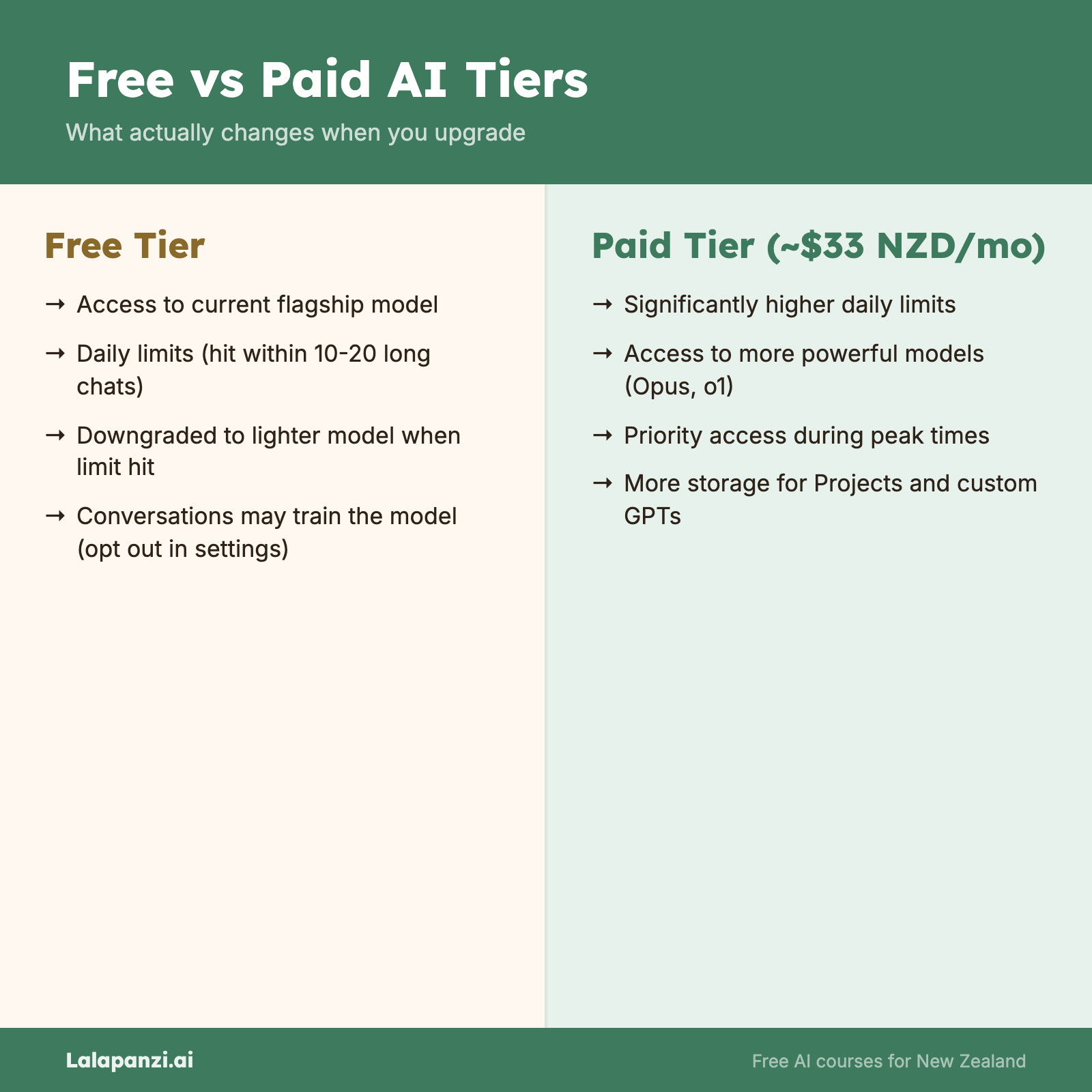
Free Tier
- Access to capable GPT models with usage limits (currently GPT-5.5 Instant)
- When you hit your limit, you're switched to a lighter model
- Image generation (limited)
- Web browsing
- File uploads and analysis
- Access to the GPT Store (custom GPTs)
- Conversations may be used for training (you can opt out in settings)
ChatGPT Plus — $20 USD/month (~$33 NZD)
- Higher usage limits on flagship models (GPT-5.5)
- Access to OpenAI's reasoning models for complex tasks
- More image generations
- Access to advanced voice mode
- Priority access during peak times
- Early access to new features
ChatGPT Pro — $200 USD/month (~$330 NZD)
- Unlimited access to all models, including the most powerful reasoning models
- Highest-level features and capabilities
- Designed for power users and professionals who use AI extensively
ChatGPT Team / Enterprise
- Business-oriented plans with admin controls, data privacy guarantees, and higher limits
- Team starts at $25 USD/user/month; Enterprise pricing is custom
The honest take: The free tier is genuinely useful. Most casual users won't need Plus. If you're using ChatGPT daily for work — especially for complex reasoning tasks or heavy image generation — Plus is worth considering. Pro is only for people who use AI as a core part of their job, every day.
Claude — Free vs Pro
Free Tier
- Access to Claude Sonnet 5 (the fast, capable model)
- Usage limits that reset daily — you might hit them within 10–20 substantial conversations
- File uploads and analysis
- Artifacts (standalone documents and code)
- Projects (with limited uploads)
Claude Pro — $20 USD/month (~$33 NZD)
- Significantly higher usage limits
- Access to Claude Opus 5 (the most powerful model) for complex tasks
- Priority access during high demand
- More storage for Projects
- Early access to new features
Claude Team / Enterprise
- Business plans with admin controls, longer context windows, and data privacy guarantees
- Team is $25 USD/user/month; Enterprise is custom pricing
The honest take: Claude's free tier is good but you'll hit limits faster than with ChatGPT, especially if you're working with long documents or having extended conversations. If you find yourself regularly running out of free messages, Pro is a straightforward upgrade. The jump from Sonnet to Opus is noticeable for complex tasks.
Gemini — Free vs Advanced
Free Tier
- Access to Gemini 3 Pro
- Web search integration
- Image understanding (upload and analyse photos)
- Google Workspace integration (basic)
- Generous usage limits compared to competitors
Google AI Plus/Pro — $20 USD/month (~$33 NZD)
- Access to Gemini 3 Ultra (the most capable model) with Deep Think mode
- Full Gemini integration in Google Workspace (Docs, Sheets, Gmail, Slides)
- 2TB of Google One storage included
- Higher usage limits
- Priority access to new features
The honest take: If you're already paying for Google One storage, the AI Premium plan is decent value because you get the storage plus AI features. The Workspace integration is the real draw — if you use Google Docs and Gmail heavily, having Gemini work inside those tools is genuinely useful. If you don't use Google Workspace, the free tier is sufficient for most needs.
Microsoft Copilot — Free vs Paid
Free Tier (Copilot at copilot.microsoft.com)
- Basic AI chat powered by OpenAI's latest models
- Web search integration
- Image generation (limited)
- No integration with Microsoft 365 apps
Microsoft 365 Copilot — $30 USD/user/month (~$50 NZD)
- Requires an existing Microsoft 365 Business or Enterprise licence
- AI assistance inside Word, Excel, PowerPoint, Outlook, Teams, and OneNote
- Meeting summaries and action items in Teams
- Data analysis in Excel
- Presentation generation in PowerPoint
- Enterprise-grade data protection — your data stays within your organisation
The honest take: The free Copilot chat is fine but unremarkable — you'd generally be better off using ChatGPT or Claude for standalone chat. The paid Microsoft 365 Copilot is a different proposition entirely. It's expensive, but for people who spend their days in Outlook, Word, and Teams, it can save real time. The catch: your organisation needs to be on Microsoft 365 already, and you need to add the Copilot licence on top.
So, Should You Pay?
Here's a practical framework:
Stay on free tiers if:
- You're still learning and experimenting
- You use AI a few times a week, not daily
- Your tasks are relatively simple (quick questions, short writing tasks, basic research)
- You're happy to switch between tools when one hits its limit
Consider paying if:
- You use AI daily for work
- You regularly hit free-tier limits
- You need specific features only available on paid plans (like Opus-level reasoning, Microsoft 365 integration, or extended image generation)
- Privacy matters for your work and you want stronger data protection
A budget-conscious strategy:
- Use free tiers for all four tools. When one hits its limit, switch to another.
- If you decide to pay, pick one tool that best matches your primary use case rather than paying for several.
- Reassess every few months — free tiers tend to improve over time as competition increases.
Pricing Comparison Summary (as of August 2026)
|| Tool | Free tier | Personal paid | Business paid | |------|-----------|--------------|---------------| | ChatGPT | Yes (GPT-5.5 Instant with limits) | Plus: ~$33 NZD/mo | Team: ~$42 NZD/user/mo | | Claude | Yes (Sonnet 5 with limits) | Pro: ~$33 NZD/mo | Team: ~$42 NZD/user/mo | | Gemini | Yes (Gemini 3 Pro) | AI Plus: ~$33 NZD/mo | Workspace plans vary | | Copilot | Yes (basic chat) | N/A standalone | M365 Copilot: ~$50 NZD/user/mo |
NZD prices are approximate based on exchange rates at time of writing.
Key Takeaways
- Every major AI tool has a free tier that's genuinely useful for learning and light use.
- Paid tiers typically cost $20 USD/month (~$33 NZD) for personal plans, giving you higher limits and access to more powerful models.
- Microsoft Copilot is the most expensive option because it requires both a Microsoft 365 licence and the Copilot add-on.
- You don't need to pay to learn AI. Start with free tiers, and only upgrade when you've identified a clear need.
- Switching between free tools is a valid strategy — when one runs out, use another.
Practical Exercise
Find your free-tier limits.
- Choose one AI tool you'd like to explore (any of the four).
- Use it for a full day on the free tier. Try a mix of tasks:
- Ask it a few questions
- Have it write something for you
- Upload a document and ask it to summarise
- Ask it to help with a work task
- Track when (and if) you hit any limits. Note:
- How many conversations could you have before being limited?
- Did it switch to a less capable model? Could you tell the difference?
- Were there any features you wanted to use but couldn't on the free tier?
- Based on your experience, write down whether the free tier would be enough for your typical use, or whether you'd want more.
Knowledge Check
1. Roughly how much does a personal paid AI subscription cost per month (in NZD)?
- a) $5–10
- b) $30–35
- c) $80–100
- d) $150+
Answer: b) Around $30–35 NZD/month for ChatGPT Plus, Claude Pro, or Google One AI Premium
2. What happens when you exceed your free-tier limits on ChatGPT?
- a) You're automatically charged
- b) You're switched to a less capable model
- c) Nothing — there are no limits
Answer: b) You're switched to a lighter model until your limits reset
3. Which of the following is a good budget-conscious strategy for using AI tools?
- a) Only use one tool and never try others
- b) Pay for all four tools to get the full experience
- c) Use free tiers across multiple tools, switching when one hits its limit
- d) Wait until prices drop to zero
Answer: c) Use free tiers across multiple tools, switching when one hits its limit
Visual overview